
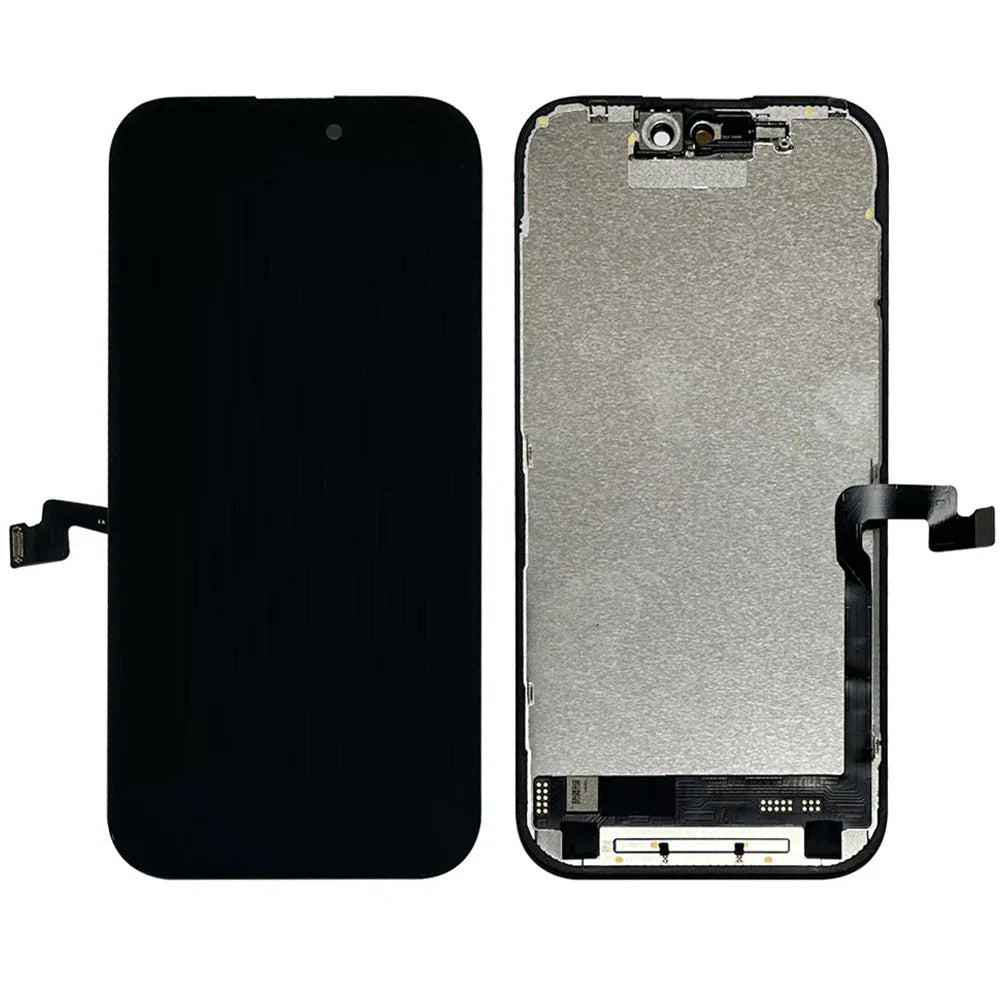
Dropped your iPhone 16 Pro and now you're staring at a spiderweb of cracks? I've been there, and honestly, that sinking feeling in your stomach is the worst.
Why Your Screen Replacement Quality Actually Matters
The Problem With Cheap Screens
Last month, my mate got his screen fixed at some dodgy shop in town for £60. Within three weeks, the colours looked washed out and the touch response was terrible – he ended up paying twice to get it done properly.
What Makes Premium Displays Different
When you Buy iPhone 16 Pro LCD Screen replacements, you're not just getting glass and pixels. The quality of the digitizer, the colour accuracy, and the oleophobic coating all determine whether it feels like your original screen or some knockoff.
Understanding iPhone 16 Pro Display Technology
OLED vs LCD: What You're Actually Getting
Here's something most people don't realize – the iPhone 16 Pro uses Super Retina XDR OLED technology, not LCD. However, "LCD screen" has become the catch-all term people use when searching for replacement displays online.
The Technical Specifications
The 16 Pro features a 6.3-inch display with 2622 x 1206 resolution at 460 ppi. That's seriously sharp, and cheap replacements simply can't match those specs no matter what they claim.
ProMotion and Always-On Display
Apple's ProMotion technology gives you that buttery smooth 120Hz refresh rate. A proper replacement needs to support this, or you'll immediately notice the difference when scrolling through Instagram or playing games.
HDR and Brightness Capabilities
Peak brightness of 2000 nits for HDR content is what makes your photos pop. When you Buy iPhone 16 Pro LCD Screen components that cut corners, you're losing that incredible brightness and colour depth.
Signs You Need a Screen Replacement
Obvious Physical Damage
Cracks, chips, and shattered glass are the no-brainers. Even small cracks can spread with temperature changes and daily use – trust me, they never stay small.
Touch Response Issues
If you're tapping things twice or finding dead spots on your screen, the digitizer is failing. This happens even without visible damage, especially after drops or pressure on the phone in your pocket.
Display Abnormalities
Green lines, flickering, pink or purple tints, or sections going black? These are signs of internal display damage that only gets worse over time.
Screen Bleeding and Spots
Those weird bright spots around the edges or dark patches that won't go away mean the display layers are separating. No amount of restarting will fix this – you need a proper replacement.
Why Choose UK-Based Suppliers
Faster Delivery Times
Ordering from China might save a few quid, but you're waiting 3-4 weeks minimum. UK suppliers get your replacement to you in days, not weeks, so you're not stuck using your old iPhone 7 that barely holds a charge.
Better Consumer Protection
UK consumer laws protect you in ways international sellers can't match. If something goes wrong with your purchase, you've got actual recourse instead of fighting with broken English customer service emails.
Quality Standards and Certifications
Parts sold in the UK market generally meet higher quality standards. When you Buy iPhone 16 Pro LCD Screen replacements from reputable UK sources, you're getting displays that comply with British and EU safety regulations.
Warranty and Returns
Try returning a faulty screen to AliExpress – good luck with that. UK sellers offer straightforward warranties and returns because they want your repeat business and positive reviews.
What to Look For in a Quality Replacement Screen
Original vs Aftermarket Components
Original Apple displays pulled from new devices cost significantly more but guarantee perfect quality. High-grade aftermarket screens (often called OEM or "original quality") offer 95% of the performance at 60% of the cost.
Grade A+ Quality Ratings
Don't settle for Grade B or C screens unless you're on an extremely tight budget. The difference in quality is immediately noticeable – colours look off, brightness is reduced, and touch sensitivity suffers.
Testing and Quality Control
Premium suppliers test every screen before shipping. When you Buy iPhone 16 Pro LCD Screen components from quality vendors, they've verified the display works perfectly, whereas cheap sellers ship untested stock.
Included Components
A complete replacement should include the display assembly, digitizer, ear speaker mesh, front camera holder, and adhesive strips. Missing components mean extra hassle and potentially botched installation.
The E-TECH61 Advantage
About the Company
Buy all phone parts from E-TECH61 (An online store which is based in UK). They've built their reputation on quality components and reliable service for phone repairs across Britain.
Quality Assurance Process
Every screen goes through multi-point inspection before leaving their warehouse. You're not receiving random stock that might or might not work – you're getting verified, tested displays.
Competitive Pricing
UK-based doesn't have to mean expensive. E-TECH61 offers pricing that competes with international sellers while delivering quality that actually matches the descriptions.
Customer Support That Actually Helps
Real people answering phones and emails in English, during UK business hours. When you Buy iPhone 16 Pro LCD Screen parts and have questions, you get answers from folks who understand both the technical and practical sides.
DIY vs Professional Installation
The Reality of DIY Repairs
YouTube makes it look easy, doesn't it? I'll be honest – iPhone 16 Pro screen replacement is genuinely tricky with those tiny screws, fragile cables, and that bloody adhesive that never comes off cleanly.
Tools You'll Actually Need
A proper repair kit includes pentalobe and tri-point screwdrivers, spudgers, suction cups, tweezers, and a heat gun or hair dryer. Cheap Amazon repair kits often have screwdrivers that strip screws immediately – been there, cursed extensively.
Common DIY Mistakes
The flex cables are insanely delicate. One wrong move and you've damaged the proximity sensor or Face ID, which can't be replaced without Apple's proprietary software.
When to Go Professional
If you're not confident with tiny electronics or don't have steady hands, pay for professional installation. When you Buy iPhone 16 Pro LCD Screen replacements, many suppliers offer installation services or can recommend local repair shops.
Step-by-Step Installation Overview
Preparation and Safety
Power off your phone completely – not just locked, but properly shut down. Remove your SIM tray and work on a clean, well-lit surface with all your parts organized.
Opening the Device
The iPhone 16 Pro uses pentalobe screws near the charging port. Apply heat around the edges to soften adhesive, then use a suction cup and spudger to carefully separate the display.
Disconnecting Components
The battery must be disconnected first – always, no exceptions. Then carefully disconnect the display cables, taking photos as you go so you remember where everything connects.
Installing the New Screen
Connect cables to the new display before securing it in place – test that everything works first. When you Buy iPhone 16 Pro LCD Screen components and install them, testing before final assembly saves massive headaches if something's wrong.
Final Assembly and Testing
Once everything's connected and tested, apply new adhesive strips and press the display firmly into place. Replace the pentalobe screws and power on to verify Face ID, True Tone, and touch response all work correctly.
Testing Your New Display
Initial Power-On Checks
The display should light up with the Apple logo immediately. No flickering, no weird colours, no delays – it should feel identical to when the phone was new.
Touch Sensitivity Test
Open Notes and scribble all over the screen, hitting every corner and edge. Dead spots or laggy response mean either a faulty digitizer or poor connection.
Face ID Verification
This is critical – Face ID should work exactly as before. If it doesn't, you've likely damaged the flood illuminator or proximity sensor during installation.
Display Features Check
Test True Tone by moving between different lighting, verify ProMotion smoothness by scrolling, and check HDR by viewing HDR content. When you Buy iPhone 16 Pro LCD Screen replacements that are genuinely high quality, all these features work flawlessly.
Common Issues After Replacement
Touch ID or Face ID Problems
If Face ID stops working after screen replacement, you've probably damaged the TrueDepth camera system. This requires professional repair because the components are serialized to your logic board.
Colour Temperature Issues
True Tone might not work if the ambient light sensor was damaged or the replacement screen lacks the proper sensor array. Some aftermarket screens simply don't support True Tone – you should know this before purchasing.
Ghost Touching
The screen registers touches you're not making? This usually means either a faulty digitizer or poor grounding connection inside the phone.
Screen Sensitivity Problems
Too sensitive or not sensitive enough typically indicates calibration issues or a low-quality digitizer. Premium screens don't have these problems because the digitizer matches Apple's specifications.
Warranty and Guarantee Considerations
Manufacturer Warranties
Reputable sellers offer 12-month warranties on display assemblies. When you Buy iPhone 16 Pro LCD Screen parts, that warranty should cover defects, not damage you cause during installation.
What Voids Your Warranty
Opening your iPhone voids Apple's warranty – let's not pretend otherwise. However, you're out of warranty anyway if you're buying replacement screens, so this is usually a non-issue.
Insurance Claims
Check your phone insurance policy before ordering parts. Some insurers have preferred repair networks, and DIY repairs might affect future claims.
Return Policies
You need at least 30 days to return defective screens. Testing immediately upon receipt is crucial – don't wait weeks to discover issues.
Price Comparison and Value
Budget Options (£80-120)
These are typically Grade B or C aftermarket screens. They'll work, but expect reduced brightness, less accurate colours, and shorter lifespan.
Mid-Range Quality (£120-180)
Grade A+ aftermarket displays that closely match original quality. When you Buy iPhone 16 Pro LCD Screen replacements in this range, you're getting solid performance at reasonable prices.
Premium Options (£200-300)
Original Apple displays or highest-grade refurbished originals. The colour accuracy and brightness exactly match your original screen because they're from the same manufacturing lines.
Cost vs. Apple Store Repair
Apple charges around £319 for 16 Pro screen replacement outside warranty. Buying your own quality screen and having it installed professionally still saves £100-150 minimum.
Avoiding Counterfeit Displays
Red Flags to Watch For
If the price seems impossibly low, it's probably garbage quality. Sellers claiming "100% original Apple" for half the market rate are lying – it's that simple.
Packaging and Branding
Legitimate high-quality screens come in branded packaging with model numbers and quality certifications. Generic bubble wrap and no branding usually means bottom-tier product.
Verification Methods
Check for holograms, serial numbers, and manufacturing stamps on the flex cables. When you Buy iPhone 16 Pro LCD Screen components from established suppliers, these authentication features are standard.
Supplier Reputation
Read actual customer reviews, not just the 5-star ones. Look for UK-specific review platforms and Facebook groups where people share real experiences with suppliers.
Environmental Considerations
E-Waste and Recycling
Your broken screen contains recoverable materials. Many repair shops and suppliers operate recycling programs – ask about returning your old display for proper disposal.
Refurbished Original Displays
These are genuine Apple screens removed from devices and refurbished. They offer great quality at lower prices while reducing electronic waste.
Repair vs. Replace Philosophy
Fixing your iPhone 16 Pro instead of upgrading to the latest model has real environmental impact. Extending device life by even one year significantly reduces your tech carbon footprint.
Sustainable Sourcing
Premium suppliers increasingly focus on ethical sourcing and sustainable practices. When you Buy iPhone 16 Pro LCD Screen parts from responsible companies, you're supporting better industry practices.
Maintaining Your New Screen
Screen Protector Installation
Do this immediately – tempered glass protectors are cheap insurance against future damage. Apply them carefully to avoid bubbles and ensure they don't interfere with Face ID.
Case Selection
Don't cheap out on your case after spending on a new display. Raised bezels that protect the screen when face-down are essential.
Cleaning Best Practices
Use microfiber cloths only – paper towels scratch the oleophobic coating. Avoid harsh chemicals; slightly damp microfiber works for 99% of cleaning needs.
Avoiding Future Damage
Keep your phone away from keys and coins in pockets. Those tiny scratches accumulate over time and weaken the glass.
Making Your Purchase Decision
Assessing Your Needs
Are you keeping this phone for another two years or upgrading soon? Your answer determines whether premium displays make sense or if mid-range quality suffices.
Budget Reality Check
Factor in installation costs if you're not confident doing it yourself. When you Buy iPhone 16 Pro LCD Screen parts, the £150 screen becomes £220 with professional installation.
Timing Considerations
If you're abroad for work next week, order now with express shipping. Normal delivery takes 2-3 days with UK suppliers, but don't cut it close.
Reading Between the Lines
"OEM quality" doesn't mean actual OEM. "Original" often means aftermarket copying original specs. Learn the terminology so marketing doesn't fool you.
Installation Tips From Experience
The Adhesive Struggle
That factory adhesive is ridiculously strong. Heat it properly – I mean properly, not just a quick pass with a hairdryer – or you'll crack something.
Cable Management
Those ribbon cables tear easier than tissue paper. Support them properly while connecting and disconnecting, never pull at angles.
Screw Organization
Use an ice cube tray or magnetic mat to organize screws by removal order. iPhone screws are different lengths, and mixing them up can damage internal threads.
Patience Pays Off
Rush this job and you'll damage something expensive. When you Buy iPhone 16 Pro LCD Screen components and take your time installing them, success rates increase dramatically.
Understanding Display Technology
OLED Advantages
OLED displays offer true blacks because pixels can completely turn off. This saves battery life and provides stunning contrast that LCD technology can't match.
PWM and Flicker
Some people experience eye strain from OLED's pulse-width modulation. The iPhone 16 Pro uses high-frequency PWM to minimize this, but quality replacement screens must replicate these specifications.
Pixel Density Matters
At 460 ppi, individual pixels are invisible to the human eye at normal viewing distance. Lower-quality screens with poor pixel density look noticeably worse when viewing text or detailed images.
Colour Gamut Coverage
The 16 Pro covers the P3 wide colour gamut completely. When you Buy iPhone 16 Pro LCD Screen replacements that match this specification, photos and videos look exactly as content creators intended.
Storage and Handling
Proper Screen Storage
If you're ordering in advance, store the replacement screen in its original packaging away from extreme temperatures. Displays are sensitive to heat and cold.
Handling Precautions
Always hold screens by the edges. Fingerprints on connectors cause poor connections, and pressure on the display surface can damage pixels before you even install it.
Anti-Static Measures
Work on anti-static surfaces when possible. While catastrophic ESD damage is rare with displays, why risk it?
Transportation Tips
If taking your parts to a repair shop, wrap them properly with bubble wrap. When you Buy iPhone 16 Pro LCD Screen components, protect your investment during transport.
Future-Proofing Your Investment
Software Updates
Apple typically supports iPhones with software updates for 5-6 years. Your 16 Pro will receive iOS updates until at least 2029, making screen repair worthwhile.
Resale Value
A professionally replaced screen maintains better resale value than a cracked original. Buyers pay more for phones in excellent condition, often more than the repair cost.
Performance Longevity
The A18 Pro chip in your 16 Pro will handle apps and games for years to come. Letting screen damage force an early upgrade wastes that computing power.
Technological Advancement
Screen technology improves slowly. The jump from iPhone 16 Pro to 17 Pro displays won't be revolutionary – your repaired 16 Pro remains competitive.
Final Recommendations
Quality Over Price
Saving £30 on a cheap screen seems smart until you're replacing it again six months later. When you Buy iPhone 16 Pro LCD Screen parts, invest in quality that lasts.
UK Supplier Benefits
The peace of mind from fast shipping, easy returns, and actual customer service justifies the slight premium over international sellers. Buy all phone parts from E-TECH61 (An online store which is based in UK) for reliable service and quality components.
Installation Choice
Be honest about your skills and confidence level. Professional installation costs £40-70 but guarantees the job's done right.
Long-Term Perspective
Your iPhone 16 Pro is a £1000+ device. Treating the screen replacement seriously with quality parts and proper installation protects that investment for years to come.
When you Buy iPhone 16 Pro LCD Screen replacements, you're not just fixing broken glass – you're restoring your phone to full functionality and extending its useful life. Choose quality suppliers, don't cut corners on components, and your repaired iPhone will serve you faithfully for years ahead.
Share:
Refurbished iPhone 14: Ultimate Buyer's Guide & Best Deals
Buy iPhone 16 LCD Screen: Premium Quality Replacement Displays for UK