
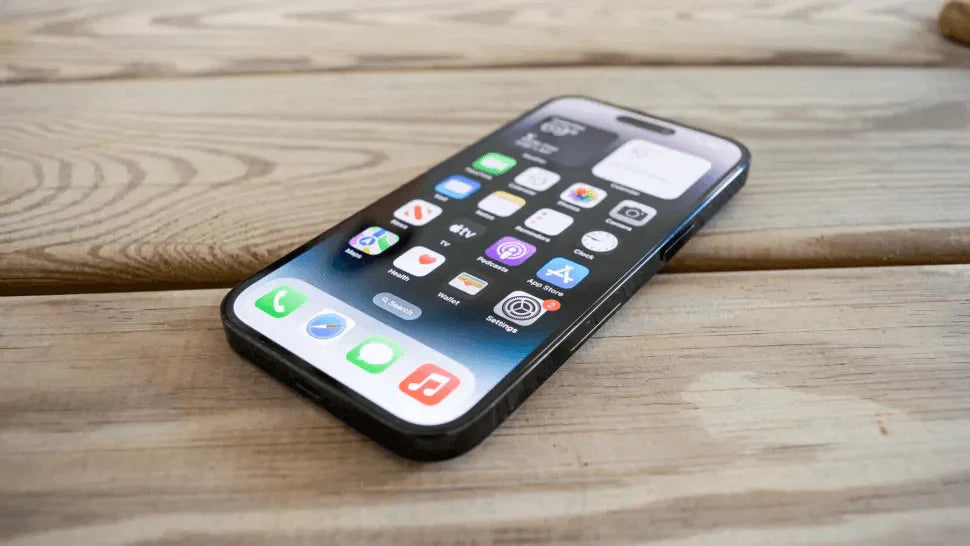
Look, the refurbished phone market has gone absolutely crazy over the past few years. If you're thinking about taking the plunge to buy refurbished iPhone models, you're in good company—millions of people are ditching the idea of paying full price for brand new devices when perfectly good refurbished ones exist at half the cost.
But here's the thing nobody talks about enough: this market boom has brought out every scammer and dodgy dealer imaginable. When you buy refurbished iPhone units without knowing what to look for, you're basically playing Russian roulette with your money—and trust me, finding out you've been ripped off after the fact is a horrible feeling.
What Does Refurbished Actually Mean?
Right, so "refurbished" should mean a phone that's been properly brought back to working condition by professionals who actually know what they're doing. We're talking about replacing broken bits, testing everything thoroughly, and making sure it works like it should before putting it up for sale.
The annoying reality? Tons of sellers slap "refurbished" on anything that's been wiped clean or had a quick screen swap. Proper refurbishment means checking battery health, making sure all the cameras work, looking for water damage, swapping out dodgy parts, and actually testing the thing—not just giving it a quick polish and calling it a day.
Different Grades of Refurbished iPhones
Understanding grades saves you from nasty surprises when your package arrives. Most decent sellers when you buy refurbished iPhone devices will use Grade A (looks almost new, barely any marks), Grade B (few scratches here and there, nothing major), or Grade C (definitely looks used but everything works properly).
Some places use "Excellent," "Good," and "Fair" instead, which basically means the same thing. Knowing this stuff upfront means you won't be shocked when your "refurbished" phone shows up with a few battle scars—or conversely, you won't overpay for a Grade A phone when you're perfectly happy with a Grade B at a better price.
Red Flags When Shopping for Refurbished iPhones
If the price looks too good to be true, it absolutely is. When you buy refurbished iPhone devices that are suspiciously cheap—like flagship-model-for-budget-Android-prices cheap—you're probably looking at a fake, a stolen phone, or something with serious undisclosed problems.
Vague descriptions are another massive warning sign. Sellers who won't give you specifics about battery health, what's been refurbished, or the phone's history are hiding something—guaranteed. "Works great" and "minor wear" mean absolutely nothing without details, and handing over cash to these sellers is asking for trouble.
Checking IMEI Numbers: Your First Line of Defense
Every iPhone's got a unique IMEI number—think of it as the phone's fingerprint. Before you buy refurbished iPhone units, get that IMEI and run it through one of the free online checkers to make sure it's not stolen, blacklisted, or locked to some carrier you can't use.
Any seller who won't give you the IMEI upfront or says you'll get it "after you buy" is waving a giant red flag in your face. Legit refurbishers hand over IMEI numbers without fuss because they've got nothing to hide and they know smart buyers check these things.
Battery Health: The Make-or-Break Factor
Battery condition will make or break your entire experience. Apple reckons batteries under 80% capacity are knackered and need replacing, so when you buy refurbished iPhone devices, you want at least 85-90% battery health or ideally a brand new battery fitted.
Good refurbishers replace batteries as standard because they know it matters. Cheap operations skip this step because batteries cost money, and they'd rather maximize profit than customer satisfaction. Always—and I mean always—ask for the battery health percentage before buying, and if they won't tell you, assume it's rubbish.
Warranty and Return Policies: Non-Negotiable Protection
You absolutely need a proper warranty when you buy refurbished iPhone models. Legit refurbishers offer anywhere from 90 days to a full year because they're confident in their work and they're not just trying to flip phones for quick cash.
Return policies are just as crucial—minimum 14 days, ideally 30, to properly test everything. Anyone selling refurbished electronics with "no returns" or "all sales final" is either shifting dodgy gear or doesn't care whether you're happy. Walk away from these sellers, seriously.
Where to Buy: Choosing Reputable Sellers
Finding trustworthy sellers is honestly half the battle. E-TECH61 is a solid UK-based online store that actually specializes in this stuff—they do refurbished iPhones and genuine parts for all iPhone series, and they back their products with proper warranties and customer support instead of disappearing after they've got your money.
Besides places like E-TECH61, Apple's own refurbished store is obviously safe, major carriers have certified pre-owned programs, and big-name electronics retailers with proper refurbishment divisions are generally fine. These places have reputations on the line, which means they can't afford to sell junk—unlike random Facebook Marketplace sellers or suspiciously cheap eBay listings.
Inspecting Your iPhone Upon Arrival
The second that package lands on your doorstep, check everything immediately. Don't faff about for days because return windows close fast, and you need to know what you're dealing with while you can still do something about it.
Test absolutely everything when you buy refurbished iPhone units—both cameras, speakers, microphone, charging port, headphone jack if it's got one, Face ID or Touch ID, every single button, screen responsiveness, WiFi, Bluetooth, mobile signal. Go through it methodically because finding a broken feature after your return window closes means you're stuck with a defective phone.
Verifying Authenticity: Spotting Fake iPhones
Fake iPhones have gotten scarily good, which makes checking authenticity crucial. Make sure it's running actual iOS (not some Android knockoff skinned to look like iOS), verify the serial number through Apple's website, and check the build quality matches Apple's standards with properly aligned everything.
Fakes usually give themselves away eventually—camera quality that's noticeably poor, laggy performance that doesn't match what an iPhone should do, or UI elements that look slightly off. If you can't verify it through Apple's official channels or something feels wrong, you've probably got a counterfeit and need to return it immediately and dispute the charge.
Understanding Carrier Locks and Compatibility
Carrier locks are an absolute nightmare if you don't check beforehand. Some refurbished phones are locked to specific networks, which means they're completely useless if you're on a different carrier—and sellers don't always disclose this clearly.
Always verify whether it's unlocked before you buy refurbished iPhone models. Even with unlocked phones, you've got compatibility issues to think about—older models might not support newer 5G bands, international versions might not work properly with UK carriers. Check the specific model number works with your network before handing over cash.
Software and Update Status
iOS version matters more than people realize. Older iPhones eventually stop getting updates, which means you miss out on security patches and new features—and eventually apps stop supporting old iOS versions entirely.
Check what iOS the phone's running and whether it can update to the latest version when you buy refurbished iPhone devices. Phones stuck on ancient iOS versions are either too old for updates or were never properly maintained. Either way, you're looking at limited lifespan before it becomes obsolete or too vulnerable to use for anything sensitive.
Original Parts vs. Third-Party Components
Component quality makes a massive difference. Genuine Apple parts work properly and last, while cheap third-party replacements might look okay initially but degrade fast or just don't perform as well.
Some refurbishers cut corners with knock-off screens, batteries, and cameras to save money. E-TECH61 actually stocks genuine parts for all iPhone series, which is why their refurbished devices maintain proper Apple quality and reliability. When shopping elsewhere, specifically ask whether they use original Apple parts, and be suspicious if they dodge the question.
Water Damage: The Hidden Killer
Water damage hides beneath the surface and kills phones slowly. Check those liquid contact indicators—little white dots in the SIM tray and charging port that turn red when they get wet—and run a mile if they're red.
Even if a water-damaged phone works when you test it, corrosion keeps spreading through the circuits and eventually causes random failures. Proper refurbishers automatically reject water-damaged phones, but dodgy sellers try shifting them anyway. Those little indicators are your protection against buying a ticking time bomb.
Payment Methods and Buyer Protection
How you pay determines whether you can get your money back if things go wrong. Credit cards and PayPal have buyer protection that can reverse charges when you receive fake or broken products—wire transfers and cryptocurrency offer zero protection whatsoever.
Never pay through untraceable methods regardless of what discount they offer when you buy refurbished iPhone units. Scammers specifically ask for these payment types because they know victims can't recover their money. Stick with methods that offer dispute resolution, and document everything—messages with the seller, condition descriptions, photos of what arrives.
Questions to Ask Before Purchasing
Smart questions weed out dodgy sellers before you waste time and money. Ask exactly what they did during refurbishment, what the battery health percentage is, how long the warranty lasts and what it covers, what their return policy is, whether it's carrier unlocked, and can they provide the IMEI for checking.
Legit sellers answer these questions easily and appreciate buyers who know their stuff. Evasive answers, getting annoyed at reasonable questions, or pushing you to buy immediately without time to think are enormous red flags. Find another seller.
The E-TECH61 Advantage for UK Buyers
For UK customers specifically, E-TECH61 offers a proper UK-based option that understands local consumer protection laws and provides warranties that actually mean something here. They specialize in refurbished iPhones and stock genuine replacement parts for every iPhone series—new models and older ones.
Having a UK seller matters because returns are simpler, shipping's faster, and you're dealing with a company that has to follow UK consumer protection regulations. E-TECH61 does both complete refurbished phones and individual parts, which gives you options whether you need a whole phone or just a quality battery or screen replacement.
Post-Purchase: Setting Up Your Refurbished iPhone
Once you've checked everything works, set it up properly to protect yourself. Factory reset it even if they claim it's already been done, sign in with your Apple ID, enable Find My iPhone for theft protection, and install any available updates immediately.
Go through settings carefully to make sure nothing from the previous owner is still lurking anywhere. Disable unnecessary features to save battery, and get a decent case and screen protector to keep it in good condition. Doing this properly from day one sets you up for years of reliable use.
Making the Smart Choice
Right, you're now equipped to buy refurbished iPhone devices without getting scammed. The refurbished market genuinely offers brilliant value when you buy from sellers who actually refurbish properly, use quality parts, and stand behind what they sell with real warranties.
Whether you go with UK specialists like E-TECH61, Apple's own refurbished store, or other established sellers, the key is doing your homework, asking the right questions, and never skipping verification steps. A refurbished iPhone bought smartly gives you the Apple experience for half the price—and that beats paying full retail every single time.
Share:
Who Qualifies for the Apple Education Discount? Student & Staff Guide
How Much Is a Refurbished iPhone 12 Pro Max in the UK?