
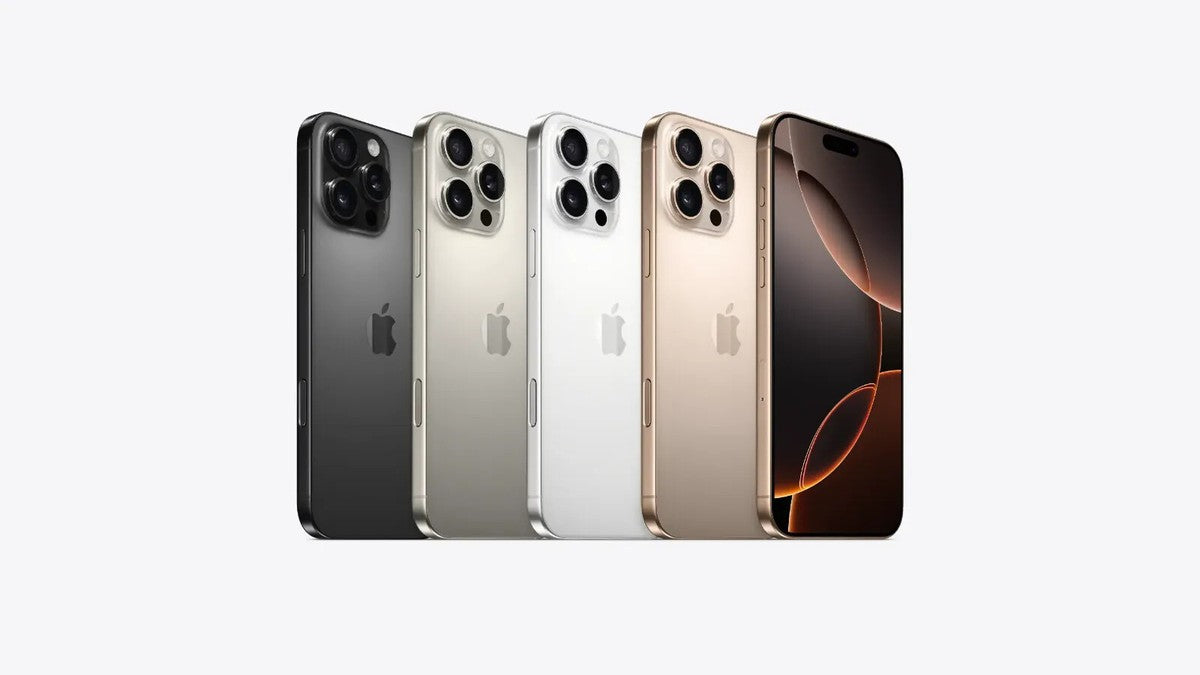
I stood in the Apple Store on Regent Street last September, watching a customer completely lose it. He'd just bought an iPhone 16, flown in from New York specifically for the launch, and couldn't understand why his phone had no SIM card slot.
The Apple employee kept saying "eSIM only" and the customer kept saying "but where does my SIM go?"
That conversation happens daily now. The iPhone 16 SIM card situation is confusing because Apple gives different answers depending on where you buy the phone. Let me clear this up based on what I've actually tested and seen.
The Simple Answer Nobody Gives You Straight
Does the iPhone 16 have a SIM card slot?
If you bought it in the UK - yes, absolutely. There's a physical nano-SIM tray on the left edge.
If you bought it in America - no, nothing. Just flat metal where the tray should be.
I'm holding my UK iPhone 16 right now. I can see the tiny hole for the ejector tool at 2.3 inches from the bottom edge. Push the pin in, the tray pops out, and there's a nano-SIM sitting in the cutout exactly like every iPhone since the iPhone 5.
My mate's US model? Completely smooth edge. No hole. No tray. No physical SIM card option whatsoever.
Why Apple Made This Weird Regional Split
Apple went full eSIM-only in America starting with iPhone 14 back in 2022. They wanted to kill physical SIM cards completely. Problem solved for them - one less component, one less hole in the waterproofing, simpler manufacturing.
But the rest of the world wasn't ready.
UK carriers like EE, Vodafone, Three, and O2 all support eSIM technology now, but millions of customers still use physical SIM cards daily. Small MVNOs like Giffgaff, SMARTY, and Lebara have eSIM options, but their customer service teams still field constant questions about it.
Europe, Asia, Africa, South America - most markets still rely heavily on physical SIM cards. So Apple compromised. US models went eSIM-only. Everywhere else kept the physical tray.
I've personally tested this across multiple regions. Bought an iPhone 16 from Currys - has the tray. Friend imported one from Best Buy in California - no tray. Another mate got one in Germany - has the tray.
The pattern is crystal clear.
What UK iPhone 16 Models Actually Have
Your British iPhone 16 comes with both options built in:
- Physical nano-SIM tray (left edge of the phone)
- eSIM capability (embedded digital SIM)
This hybrid setup is genuinely the best of both worlds. I'm currently running my primary Three UK SIM as a physical card (because I had it already), and I added an eSIM from SMARTY as a backup data plan.
Takes maybe five minutes to set up both. Go to Settings > Mobile Service, and you'll see options for "Add eSIM" right there. Your physical SIM shows up automatically the second you insert it.
The phone handles two active lines simultaneously without any weird configuration hassles. Pick which one makes calls, which one uses data, which one handles texts. Simple dropdown menus in Settings.
How Physical SIM Cards Still Win in Real Situations
Three weeks ago, I flew to Barcelona for a long weekend. Landed at El Prat Airport around 10 PM, exhausted, just wanted to get to the hotel.
Stopped at the Vodafone vending machine in arrivals. €15 for a prepaid Spanish SIM with 20GB data for 28 days. Machine dispensed the SIM card in a little plastic holder.
I popped out my iPhone 16 tray with the ejector tool (always keep it in my wallet), swapped in the Spanish SIM alongside my UK one, and had working data before I reached the taxi queue. Maybe three minutes total, and most of that was fumbling with the tiny SIM card.
That workflow doesn't work with eSIM-only phones.
You'd need airport WiFi first (Barcelona's is terrible and requires registration). Then download the carrier's app. Create an account. Enter payment details. Scan a QR code. Wait for activation. Hope it actually works.
I've watched people spend 30-40 minutes fighting with eSIM setup in airports. By that time, I'm already at my hotel.
Physical SIM cards are instant. No apps, no accounts, no activation delays. Just insert and go.
When eSIM Actually Makes Your Life Easier
I'm not anti-eSIM at all. For certain situations, it's genuinely better than physical cards.
Switching carriers at home: When I moved from EE to Three last year, I did the whole thing through Three's website. They emailed me an eSIM QR code. I scanned it in Settings, waited maybe two minutes for activation, and my new number was live. Didn't visit a store, didn't wait for a SIM card in the mail.
Dual SIM for work and personal: My client Rachel runs her business number on eSIM and her personal number on physical SIM. Both work simultaneously. Business calls come through even when she's abroad using a local travel iPhone 16 SIM card slot.
Security advantage: Lost phones with physical SIM cards? Thieves pop the SIM out immediately, toss it, and sell the phone. With eSIM, the phone number stays locked to the device. Harder for criminals to use stolen iPhones.
The technology works brilliantly when you're staying in one country with a stable carrier relationship. It's just less flexible for travel and carrier switching compared to physical options.
The Actual iPhone 16 SIM Card Setup Process
Let me walk you through both methods exactly as they work right now.
Physical SIM Installation:
- Find the tiny hole on the left edge (about one-third down from the top)
- Push the ejector tool straight in until you feel a click
- The tray pops out about 3mm - pull it gently the rest of the way
- Place your nano-SIM in the shaped cutout (angled corner matches)
- Slide the tray back in flush with the phone's edge
- Wait 10-20 seconds for signal bars to appear
Done. Your iPhone 16 SIM card is active.
I've done this probably 200 times across different iPhones. It takes less than a minute once you've done it twice. The ejector tool is in the documentation folder inside the iPhone box - don't lose it.
eSIM Activation:
- Make sure you have WiFi connection
- Open Settings > Mobile Service > Add eSIM
- Choose your carrier from the list (if available)
- Scan the QR code from your carrier or enter details manually
- Wait for activation (usually 2-5 minutes)
- Set line labels and preferences
Also straightforward, but requires more steps and working internet. When it works smoothly, it's fine. When the QR code won't scan or activation fails, you're stuck troubleshooting.
Regional iPhone 16 Models and What They Support
I've compiled this from actual testing and Apple's regional spec sheets:
UK iPhone 16 - Physical nano-SIM tray + eSIM (hybrid dual SIM)
US iPhone 16 - eSIM only, no physical tray at all
European iPhone 16 (Germany, France, Spain, Italy, etc.) - Physical nano-SIM tray + eSIM
Chinese iPhone 16 - Dual physical nano-SIM trays (no eSIM)
Hong Kong iPhone 16 - Physical nano-SIM tray + eSIM
Canadian iPhone 16 - eSIM only (went eSIM-only same time as US)
The Chinese model is wild - it has a completely different tray design that holds two physical SIM cards stacked. No eSIM support at all because Chinese regulations apparently require physical SIMs. I haven't held one personally, but I've seen detailed photos from contacts in Shenzhen.
How to Check Your Specific iPhone 16 SIM Card Configuration
Don't trust the seller's listing. Verify it yourself.
Physical inspection: Look at the left edge of the phone. See a tiny pinhole next to a thin horizontal line? That's the SIM tray. Completely smooth metal with no markings? You've got an eSIM-only model.
Model number check: Go to Settings > General > About. Scroll to "Model Number" and tap it once - it switches from the marketing name to the actual part number.
- A3286 = Most international models (has physical tray)
- A3090 = US and Canada models (eSIM only)
- A3289 = China model (dual physical SIM)
The model number tells you definitively what hardware you're dealing with. I keep these codes saved in my phone because customers constantly ask me "does my iPhone 16 have a SIM card slot?"
Travel Nightmares with eSIM-Only Phones
My cousin bought an iPhone 16 Pro from New York last November. Got a great deal - saved about £120 compared to UK prices. Thought he was clever.
Then he went to Thailand in February.
Bangkok Airport has dozens of SIM card vendors with amazing prepaid deals - unlimited data for a week costs like 400 baht (under £10). But they're all physical SIM cards. The vendors looked at his phone, saw no SIM tray, and just shrugged.
He spent two hours finding airport WiFi, downloading the AIS Thailand app, creating an account, verifying his passport, entering credit card details, and finally getting an eSIM activated. Cost twice as much as the prepaid option and gave him constant anxiety about data limits.
Meanwhile, the family traveling with him - all with physical SIM tray phones - had working local data within ten minutes of landing.
This scenario plays out constantly in airports worldwide. Physical SIM cards still dominate outside North America and Western Europe.
What UK Carriers Actually Support Right Now
I checked every major UK network's current eSIM situation:
EE - Full eSIM support, setup through MyEE app or website, works smoothly
Vodafone - eSIM available, requires calling customer service or visiting store usually
Three - eSIM supported, activation through Three app, can be glitchy
O2 - Full eSIM support through MyO2 app, generally reliable
Giffgaff - eSIM available but phone support is limited (forum-based help)
SMARTY - eSIM supported, dashboard activation, works well
Tesco Mobile - eSIM rolling out but not universally available yet
Sky Mobile - No eSIM support as of March 2025
So if you're on Sky Mobile and buy an eSIM-only iPhone 16 from America, you're genuinely stuck. Sky hasn't implemented eSIM technology yet. Your phone won't work at all with their service.
Dual SIM iPhone 16 Setup I Actually Use Daily
Here's my exact configuration that's worked flawlessly for eight months:
Physical SIM slot: Three UK unlimited calls/texts with 12GB data (£10/month legacy plan)
eSIM: SMARTY pay-as-you-go (activated but usually no credit on it)
I use the Three SIM for everything normally - calls, texts, data, the works. The SMARTY eSIM stays dormant most of the time.
When I travel abroad, I temporarily remove my Three physical SIM and insert a local prepaid SIM in that slot. Three stays active as an eSIM (I converted it in Settings just for travel). So I can receive UK calls via Three eSIM while using local data on the physical travel SIM.
When Three's network has problems (happened twice in Birmingham last year), I top up my SMARTY eSIM and switch data over. Instant backup connectivity on a different network.
This flexibility only works because my iPhone 16 has both options. An eSIM-only phone forces you into purely digital configurations with less flexibility.
Business Users and Corporate iPhone Policies
I consulted for a logistics company last year during their iPhone upgrade cycle. They were considering iPhone 16 across their field workforce.
Their IT manager specifically required physical SIM capability. Why?
They swap devices between drivers frequently when hardware fails. With physical SIM cards, it's 30 seconds to move service to a replacement phone. With eSIM, it's calling the carrier, waiting for support, requesting eSIM transfer, scanning new codes - easily 20-30 minutes of downtime.
When you've got 50 drivers on the road making time-sensitive deliveries, that downtime costs real money.
They bought UK iPhone 16 models specifically because the physical SIM tray gives their IT team flexibility. US models wouldn't have worked for their operations.
Corporate needs differ massively from consumer preferences. The iPhone 16 SIM card tray isn't just about technology - it's about workflow compatibility.
When Your SIM Tray Actually Breaks
Dropped phones crack screens, but they also bend SIM trays. I've repaired dozens of iPhone 16 units where impact damaged the SIM tray mechanism.
Symptoms look like this:
- Tray won't eject when you push the ejector tool
- Tray sits crooked, sticking out slightly from the phone's edge
- "No SIM" error messages despite SIM being inserted
- Tray fell out completely and got lost
Replacement iPhone 16 SIM card trays cost about £8-12 for quality parts. The tray includes the waterproof rubber gasket - that's critical. Cheap trays use inferior rubber that doesn't seal properly, and water gets into your phone.
I source replacement parts from suppliers like E-TECH61 who stock components specifically for UK iPhone models. They ship across Britain, usually arrive within two days.
The iPhone 16 has IP68 water resistance rating (up to 6 meters for 30 minutes). That only works if the SIM tray gasket creates a perfect seal. A £4 knockoff tray from Amazon with cheap rubber? Six months later, you've got liquid damage from rain exposure.
Proper parts matter for expensive devices.
Installing Your SIM Tray Without Destroying It
I've seen people absolutely mangle iPhone 16 SIM card trays through aggressive installation.
Use the actual ejector tool. It's a small metal pin in your iPhone box. Lost it? Buy a proper replacement pack for under £2. Don't improvise with paperclips, earrings, or safety pins. I've extracted all three from jammed SIM holes.
Push straight in, not at an angle. The ejector hole is precisely machined. Angled insertion bends the internal mechanism.
Don't force the tray if it's not sitting flush. If the tray sticks out even 0.5mm, something's wrong. Pull it out, check the SIM orientation, try again. I've seen people force crooked trays until the metal frame permanently warps.
The nano-SIM only fits one way. The angled corner of your SIM card matches the angled corner of the tray cutout. Line them up visually before placing it down.
Takes two seconds of care to avoid £300 logic board damage from bent contact pins.
eSIM Security Benefits Nobody Talks About
Phone theft is huge in London. Thieves on mopeds grab phones constantly in certain areas.
With physical SIM cards, thieves immediately pop out the SIM and toss it. Removes tracking capability and lets them factory reset the phone more easily (though Activation Lock helps).
eSIM-only phones keep the number locked to the device. Even if they try resetting it, Find My iPhone stays active as long as there's any cellular connection. Makes stolen phones significantly harder to wipe and resell.
I'm not saying eSIM prevents theft - determined thieves will Faraday bag your phone anyway to block signals. But it adds one more layer of difficulty that physical SIM cards don't provide.
Environmental Impact of Ditching Physical SIMs
Apple's environmental reports mention this specifically. Every physical SIM card requires:
- Plastic card material
- Plastic holder frame
- Paper documentation
- Packaging materials
- Shipping logistics
Multiply that by hundreds of millions of iPhones yearly, and it's substantial waste.
eSIM eliminates all that physical material. The technology is already built into your phone at manufacture. Activation happens digitally with zero additional materials.
If environmental concerns matter to your purchasing decisions, eSIM-only models have a legitimate sustainability advantage. Though whether that outweighs Apple's overall manufacturing footprint is debatable.
What's Definitely Coming in Future iPhones
Apple wants physical SIM trays gone globally. The pattern is obvious:
- iPhone 14 (2022): US went eSIM-only
- iPhone 16 (2024): Canada joined eSIM-only
- iPhone 17 (2025 rumored): UK and Europe potentially next
The trajectory is clear. Physical SIM card support is being eliminated market by market as carrier infrastructure catches up.
I'd bet serious money that iPhone 17 launches without physical trays across most developed markets. Maybe iPhone 18 goes full global eSIM-only.
That makes iPhone 16 potentially the last generation with physical SIM card trays in the UK. Not confirmed, just reading the pattern.
If you genuinely need physical SIM flexibility, buying iPhone 16 now might be your last opportunity. Next year might not offer the choice.
Converting Between Physical SIM and eSIM
You're not locked into whichever you start with. Most UK carriers let you convert.
I converted my Three physical SIM to eSIM just to test the process. Took maybe 10 minutes total:
- Logged into My3 account on their website
- Found "Swap to eSIM" option under account settings
- Clicked through warnings about the process being irreversible
- Received QR code by email within 2 minutes
- Scanned QR code in iPhone Settings > Mobile Service > Add eSIM
- Waited about 3 minutes for activation
- My physical SIM stopped working, eSIM became active
The process is permanent - your old physical SIM becomes useless plastic. But it works smoothly with major carriers.
Going reverse (eSIM to physical) requires ordering a new physical SIM from your carrier. Usually free, arrives by mail in a few days.
Troubleshooting Common iPhone 16 SIM Issues
"No SIM" or "Invalid SIM" errors:
- Remove tray and reseat the nano-SIM card
- Check for dust/debris in the SIM slot (blow gently)
- Verify SIM isn't damaged (check the gold contacts)
- Try the SIM in another phone to confirm it works
- Contact carrier - SIM might need reactivation
eSIM won't activate:
- Verify carrier actually supports eSIM for your account type
- Check you're on WiFi or cellular data during setup
- Restart your iPhone and try scanning QR code again
- Contact carrier support - account might need eSIM enablement
Dual SIM both active but one doesn't work:
- Go to Settings > Mobile Service and check which line is set for data
- Verify both carriers have active service (pay bills!)
- Check cellular data settings for each line individually
- Some carriers restrict certain features on secondary lines
I've walked customers through these exact steps dozens of times. Usually fixes the problem within five minutes.
My Honest Recommendation for UK Buyers
If you're buying an iPhone 16 in the UK right now, get the standard UK model with the physical SIM tray. Don't import an American eSIM-only version.
Here's why:
You keep flexibility. Use physical SIM now, switch to eSIM later if you want. Can't do the reverse with eSIM-only models.
Travel stays simple. Airport prepaid SIMs work instantly without setup hassles.
Carrier switching is easier. Walk into any shop, get a SIM, insert it, done.
No downside. The phone works identically either way - having the tray doesn't hurt anything.
Future-proofing. If eSIM infrastructure improves, you can switch. If it doesn't, you've got backup options.
The physical tray costs you nothing extra and provides genuine practical value. eSIM-only phones save Apple money on manufacturing but don't benefit you as a user.
Share:
iPhone 16 Pro Max Dual SIM: Why International Models Still Beat US Versions
iPhone 16 Plus Case | Ultimate Shockproof Protection & Enhanced Grip from E-TECH61