
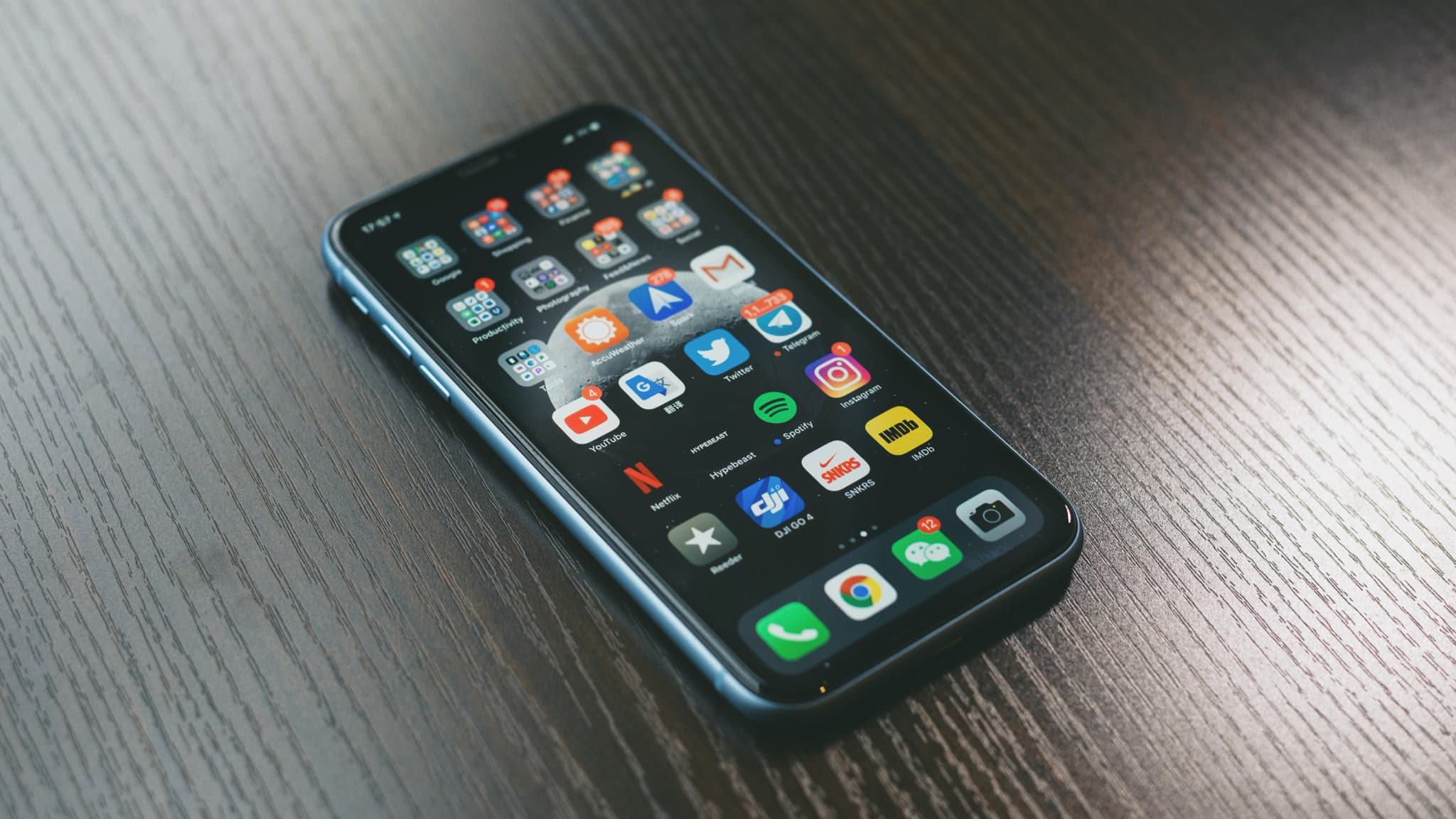
Buying an iphone 13 refurbished can save you hundreds of pounds, but only if you actually get a properly refurbished device rather than someone's knackered old phone with a quick wipe and fresh packaging. The problem is that "refurbished" means different things to different sellers - some do comprehensive testing and repairs with quality parts, while others do the absolute bare minimum and hope you don't notice until it's too late to return it.
Learning to properly assess quality protects you from wasting money on substandard devices that'll cause problems within weeks or months. The difference between a well-refurbished phone and a poorly done one might not be obvious during a quick glance, but systematic checking reveals the truth about what you're actually getting for your money.
Visual Inspection Basics
Start your iphone 13 refurbished assessment with a thorough visual inspection under good lighting, checking every surface for damage, repairs, or inconsistencies that suggest poor refurbishment. Look at the screen from multiple angles checking for scratches, cracks, discoloration, or the telltale signs of a cheap replacement screen like uneven backlighting or color shifts around edges.
Examine the body carefully for dents, deep scratches, or damage that exceeds the cosmetic grade the seller claimed - a phone sold as "excellent" shouldn't have multiple noticeable scratches or dings. Check the camera lenses for scratches or cloudiness that would affect photo quality, and inspect all ports and buttons for damage or excessive wear.
Screen Quality Assessment
Display a pure white screen on your iphone 13 refurbished to check for dead pixels, backlight bleeding, or yellow tinting that indicates a poor-quality replacement screen. Dead pixels appear as tiny black dots, backlight bleeding shows as brighter spots around screen edges, and yellow tinting creates an uneven warm cast rather than neutral white.
Test touch responsiveness across the entire screen by opening the Notes app and drawing patterns covering every area - the screen should respond instantly and accurately everywhere without dead zones or overly sensitive spots. Aftermarket screens often have inferior touch sensitivity or require more pressure than genuine Apple displays, which becomes obvious through systematic testing.
Battery Health Verification
Check battery health immediately on your iphone 13 refurbished by going to Settings > Battery > Battery Health, where you'll see the maximum capacity percentage. Anything below 85% indicates significant degradation that will affect daily usage, and reputable refurbishers should guarantee at least 85-90% capacity or have replaced the battery entirely.
Look at the battery's peak performance capability status - if it says anything other than "Your battery is currently supporting normal peak performance," that's a red flag suggesting the battery has degraded enough to cause shutdowns. Also check the cycle count using third-party apps if possible - a genuine replacement battery should show very low cycles, while high cycle counts prove the battery hasn't been replaced despite seller claims.
Face ID Functionality Test
Face ID represents one of the most reliable indicators of overall iphone 13 refurbished quality since it requires genuine parts and proper repair procedures to function correctly. Go to Settings > Face ID & Passcode and delete any existing Face ID data, then set up Face ID from scratch using your own face to verify the system works properly.
Test Face ID multiple times from different angles, with and without glasses, in various lighting conditions to ensure consistent reliable performance. If Face ID is slow, frequently fails, or doesn't work at all, that indicates either damage or poor-quality repairs since dodgy refurbishers can't properly repair Face ID without specialized equipment and genuine components.
Camera System Testing
Open the Camera app on your iphone 13 refurbished and systematically test every lens and mode to verify full functionality. Take photos with the wide and ultra-wide cameras, test portrait mode, try night mode in low light, and record videos including 4K footage to ensure everything works without glitches, focusing problems, or quality issues.
Check that the camera focuses quickly and accurately by tapping different subjects on screen - slow or hunting autofocus suggests problems with the camera module. Examine the photos and videos you took, looking for unusual noise, artifacts, blur, or color issues that indicate a damaged sensor or cheap replacement camera from poor-quality suppliers rather than the genuine parts that E-TECH61 provides to quality refurbishers.
Testing All Physical Buttons
Systematically test every physical button on your iphone 13 refurbished device to verify they all click properly and respond reliably. Press the volume buttons multiple times checking for consistent tactile feedback and proper volume adjustment, test the side button by locking and unlocking the phone repeatedly, and verify the silent switch moves smoothly and actually silences the device.
Buttons that feel mushy, stick, require excessive force, or don't respond consistently indicate either wear or poor refurbishment where damaged buttons weren't replaced. Quality refurbishers replace worn buttons with genuine parts from suppliers like E-TECH61, while cheap operations leave dodgy buttons hoping buyers won't thoroughly test them.
Speaker and Microphone Verification
Test both speakers on your iphone 13 refurbished by playing music or videos at various volumes, listening for distortion, crackling, or reduced output that suggests speaker damage. The stereo speakers should produce clear sound without rattling or cutting out, and volume should be consistent across the range from quiet to maximum.
Test the microphones by recording voice memos, making phone calls, and using Siri - all three microphones (bottom, front, and back) should capture audio clearly without muffling, static, or dropouts. Video recordings provide another microphone test - watch videos you recorded and listen carefully to the audio quality, checking for wind noise handling and clarity.
Connectivity Features Check
Verify that WiFi works properly on your iphone 13 refurbished by connecting to networks and running speed tests - the phone should maintain stable connections and deliver speeds consistent with your router's capabilities. Poor WiFi performance with frequent disconnections or reduced speeds might indicate antenna damage or component issues that weren't addressed during refurbishment.
Test cellular connectivity by making calls, sending texts, and using mobile data to confirm everything works reliably. Try Bluetooth by pairing headphones or other devices, checking that pairing is quick and connections remain stable without dropouts that would indicate Bluetooth hardware problems.
Charging and Port Inspection
Plug a Lightning cable into your iphone 13 refurbished and verify that charging begins immediately without requiring wiggling or specific cable positioning. A worn or damaged Lightning port won't make reliable contact, requiring cable manipulation to charge, which is annoying and indicates poor refurbishment that didn't address wear issues.
Test wireless charging if you have a Qi charger available - the phone should charge wirelessly without issues and the charging animation should appear immediately when placed on the charger. Problems with wireless charging might indicate internal damage or poor repairs that affected the charging coil.
Software and iOS Version
Check that your iphone 13 refurbished is running the latest available iOS version or can update to it, indicating the device hasn't been tampered with in ways that prevent updates. Go to Settings > General > Software Update to see if updates are available, and verify the phone isn't stuck on an old iOS version that can't update.
Look for any unusual apps, profiles, or restrictions that might indicate the phone was previously used in managed corporate environments or hasn't been properly wiped. A properly refurbished phone should present as a clean device requiring initial setup without remnants of previous ownership visible in settings or installed apps.
IMEI and Activation Status
Verify the IMEI number on your iphone 13 refurbished matches the number on the box and SIM tray, and check it against online databases to confirm it's not reported stolen or blacklisted. Free IMEI checkers are available online, and while they're not perfect, they catch obviously problematic devices that won't work on UK networks.
Ensure the phone isn't Activation Locked to someone else's iCloud account, which would prevent you from using it entirely. The seller should have removed the device from their iCloud account before selling, and you should be able to sign in with your own Apple ID without encountering activation blocks or previous owner account requirements.
Testing Under Load
Run demanding tasks on your iphone 13 refurbished to test performance under stress and check for overheating or throttling issues. Play graphics-intensive games for 15-20 minutes, record 4K video for several minutes, or run benchmark apps that push the processor to verify the phone handles sustained performance without excessive heat buildup or crashes.
Phones with thermal issues might have damaged cooling systems or poor internal repairs that affect heat dissipation. While some warmth during heavy use is normal, the phone shouldn't become uncomfortably hot or shut down from overheating during typical intensive tasks.
Display True Tone and Color
Test True Tone on your iphone 13 refurbished by toggling it on and off in Settings > Display & Brightness to verify the feature works properly. True Tone adjusts color temperature based on ambient lighting, and if it doesn't work or produces weird color shifts, that suggests a non-genuine display or improper calibration.
Display a color gradient or test pattern to check for even color reproduction across the screen without banding, color shifts, or dead pixels. Cheap replacement screens often have inferior color accuracy compared to genuine Apple displays, showing as colors that look slightly off or less vibrant than they should be.
Checking for Water Damage
While you can't see inside your iphone 13 refurbished easily, you can check the Liquid Contact Indicator (LCI) in the SIM card tray. Remove the SIM tray and look inside the slot for a small indicator - it should be white or silver, not pink or red which indicates water exposure.
Water damage can cause long-term reliability issues even if the phone currently works, as corrosion develops over time affecting internal components. If the LCI shows water exposure, that's concerning regardless of current functionality since water-damaged phones often develop problems weeks or months after purchase.
GPS and Location Services
Test GPS accuracy on your iphone 13 refurbished using Maps or a GPS test app to verify positioning works accurately. The phone should locate you quickly and accurately within about 10 meters, not show you blocks away or fail to get a GPS fix after several minutes.
Poor GPS performance might indicate antenna damage or component issues that weren't addressed during refurbishment. GPS problems are annoying and difficult to fix, so verifying this works properly before the return period expires prevents being stuck with a phone that's useless for navigation.
NFC and Apple Pay Testing
Add a card to Apple Pay on your iphone 13 refurbished and test contactless payment at a terminal to verify NFC works properly. The phone should connect quickly when held near the payment terminal without requiring multiple attempts or specific positioning to make the transaction work.
NFC also enables features like reading NFC tags or connecting to certain accessories, so it's worth verifying full functionality. Problems with NFC/contactless payments might indicate hardware damage or cheap replacement parts that didn't include properly functioning NFC components.
Comparing Against Specifications
Verify the iphone 13 refurbished storage capacity matches what you paid for by checking Settings > General > iPhone Storage. Some dodgy sellers might misrepresent storage capacity, selling a 128GB phone as 256GB hoping buyers don't check, so always verify this matches the listing.
Check the model number to confirm you received the specific variant you ordered - regional models differ slightly, and you want the UK model (model numbers starting with M) rather than international variants. The model number is visible in Settings > General > About.
Using Diagnostic Apps
Download diagnostic apps like TestM or Phone Doctor Plus on your iphone 13 refurbished to run comprehensive automated tests covering dozens of functions. These apps systematically test every sensor, button, speaker, microphone, camera, and feature, generating reports highlighting any detected issues.
While these apps aren't perfect and shouldn't replace manual testing, they catch problems you might miss and provide documented test results useful if you need to pursue warranty claims. The systematic approach ensures you don't forget to test something important during your evaluation period.
Audio Quality Assessment
Make phone calls on your iphone 13 refurbished to verify call quality in both directions - you should hear clearly and callers should hear you without complaint about muffled or distorted audio. Poor call quality suggests microphone or speaker problems that weren't addressed during refurbishment.
Test spatial audio with compatible headphones if you have AirPods Pro or Max to verify the gyroscope and accelerometer work properly. While not essential functionality, it tests additional sensors that indicate overall refurbishment thoroughness.
Vibration Motor Function
Enable vibration and test the Taptic Engine on your iphone 13 refurbished by receiving notifications or using keyboard haptics. The vibration should feel crisp and precise, not weak or rattling like something's loose inside the phone.
A malfunctioning or weak vibration motor indicates either damage or cheap replacement parts. While not critical to basic phone functionality, it's annoying and suggests corners were cut during refurbishment.
Comparing to Condition Grade
Compare your iphone 13 refurbished cosmetic condition against the grade description the seller provided. An "excellent" grade phone shouldn't have multiple visible scratches or significant wear beyond what the grading system specified as acceptable for that tier.
If the cosmetic condition is notably worse than described, that suggests the seller is dishonest or has poor quality standards. This dishonesty about visible cosmetic condition probably extends to hidden functional issues they also didn't properly address.
E-TECH61 Parts Quality Indicators
A well-refurbished iphone 13 refurbished should use quality replacement parts from suppliers like E-TECH61 in the UK rather than the cheapest possible components. While you can't always tell parts sourcing definitively, signs of quality parts include screens with excellent color and responsiveness, batteries with high capacity, and cameras producing sharp clear images.
Reputable refurbishers prioritize quality parts because their business depends on customer satisfaction and low return rates. Dodgy operations use the cheapest parts available to maximize profit margins, resulting in phones that might work initially but develop problems quickly.
Documentation and Proof
Document your iphone 13 refurbished condition thoroughly with photos and notes during your evaluation period in case you need to pursue returns or warranty claims. Photograph any cosmetic damage, note any functional issues discovered, and keep records of test results from diagnostic apps.
This documentation protects you if the seller disputes condition upon return or if problems develop shortly after the return period expires. Having detailed records from the beginning proves when issues first appeared and helps resolve disputes in your favor.
Return Period Strategic Testing
Use the full return period to evaluate your iphone 13 refurbished under realistic usage conditions rather than just quick initial testing. Carry it as your daily phone for at least a week, using it heavily to stress test battery life, check for crashes, verify cellular performance in various locations, and generally confirm it works reliably.
Many issues only emerge through sustained real-world use rather than brief testing sessions. That's why generous return periods are valuable - they provide time to genuinely assess whether the phone will serve you reliably or develop problems that weren't immediately apparent.
Red Flags Requiring Return
Certain problems with your iphone 13 refurbished should trigger immediate return rather than hoping they'll improve or aren't serious. Battery health below 80%, non-functional Face ID, significant overheating, persistent crashes, dead pixels, unresponsive screen areas, or major cosmetic damage beyond the stated grade all justify returning the phone.
Don't convince yourself that problems are "not that bad" or will improve - they won't. Refurbished phones should work properly, and significant issues indicate poor refurbishment that will likely cause ongoing problems justifying return while you still can.
Dealing with Issues After Purchase
If problems develop with your iphone 13 refurbished shortly after the return period expires, contact the seller about warranty coverage before assuming you're stuck with the issues. Reputable sellers honor warranties and want to maintain their reputation, often resolving issues even slightly outside strict warranty periods.
For more serious problems, consumer protection laws might provide recourse beyond stated warranties if the phone wasn't as described or is unfit for purpose. Document everything and be persistent about resolution rather than accepting losses on defective products.
Preventive Measures for Future
When buying future iphone 13 refurbished or other refurbished devices, apply lessons learned from this quality checking process. Buy from sellers with strong reputations, comprehensive warranties, and transparent quality standards rather than just chasing the absolute lowest prices that usually indicate poor quality.
Consider sellers who clearly specify their refurbishment process, parts sourcing, and quality standards rather than those with vague descriptions. Transparency usually correlates with quality since reputable refurbishers are proud of their processes while dodgy operations hide details.
Professional Inspection Option
For expensive iphone 13 refurbished purchases or if you're uncertain about your own assessment abilities, consider having a professional phone repair shop perform a thorough inspection. Shops have tools and experience to detect issues you might miss, and a professional assessment provides peace of mind about your purchase.
The £20-40 cost of professional inspection is worthwhile insurance on a £400-600 refurbished phone purchase. It's cheaper than being stuck with a defective phone and provides expert verification of quality before your return period expires.
Trusting Your Instincts
If something feels wrong about your iphone 13 refurbished, even if you can't identify specific issues, trust your instincts and consider returning it. Sometimes problems manifest as general bugginess or inconsistent behavior that's hard to pinpoint but indicates underlying issues that will worsen over time.
You shouldn't have to convince yourself that a refurbished phone is acceptable - it should work properly and feel like a quality device. If it doesn't, return it and find a better option rather than settling for something that you already know isn't right.
Conclusion: Thorough Checking Protects Your Investment
Systematically checking your iphone 13 refurbished quality protects you from wasting money on poor refurbishment while helping identify genuinely well-refurbished phones worth keeping. The time invested in comprehensive testing during the return period prevents being stuck with problematic devices that develop issues after it's too late to return them.
Quality refurbishers using proper parts from suppliers like E-TECH61 produce phones that pass all these tests easily because they've genuinely been properly refurbished rather than hastily cleaned and resold. Be thorough, be critical, and don't accept anything less than a properly functioning phone that meets the condition and quality standards you paid for.
Share:
iPhone 13 Refurbished Vs New: Is the Savings Worth It?
Does a Refurbished iPhone 14 Pro Come with a Warranty?