
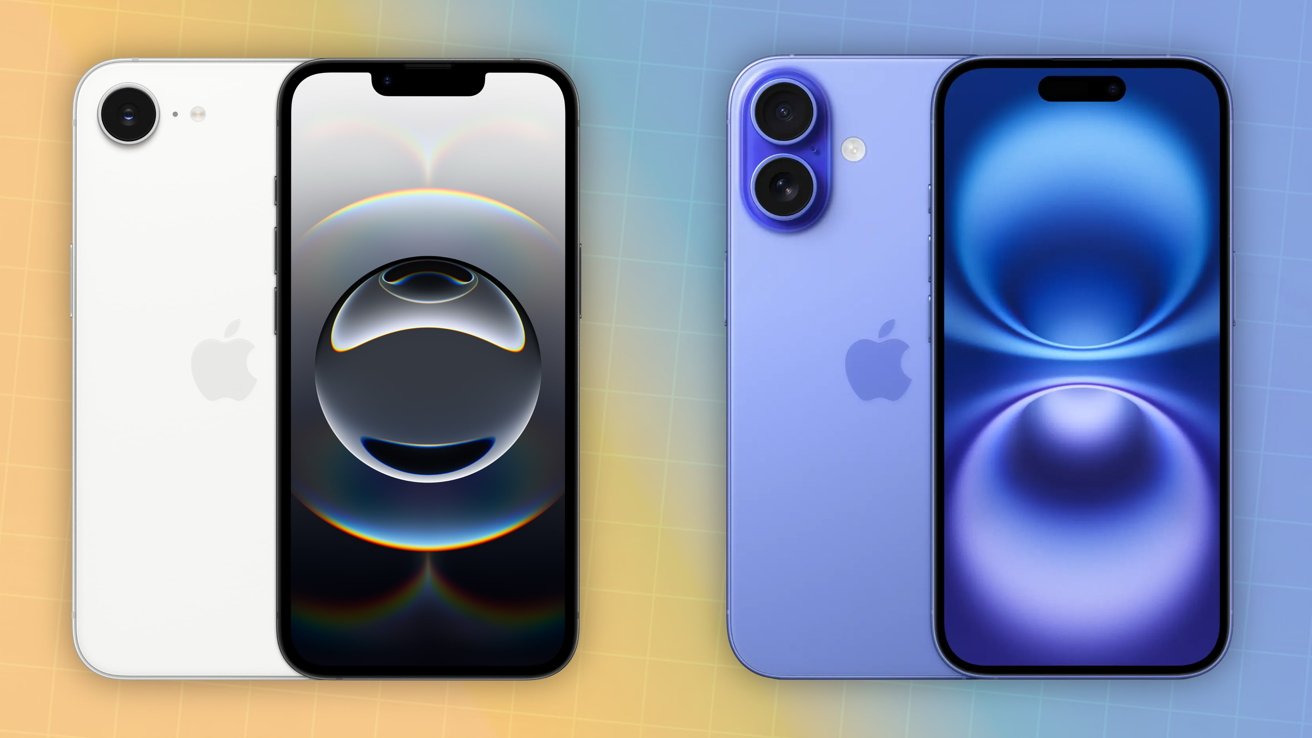
The iPhone 16e has made significant waves in the tech industry, primarily due to the introduction of its groundbreaking A18 chip.
This chip represents the pinnacle of Apple’s technological advancements, ensuring that users can expect unrivaled speed and performance.
In this article, we will delve into the capabilities of the A18 chip and explore how it sets new standards for mobile computing speed.
Unleashing the A18 Chip's Potential
The A18 chip is built on a state-of-the-art 3nm process technology, which allows Apple to pack more transistors into a smaller space.
This creative design improves energy economy in addition to enabling higher performance levels. The outcome is an incredibly quick CPU that enhances the iPhone 16e's overall use.
Core Architecture and Performance Boost
At the core of the A18 chip lies a 6-core CPU, which is divided into four efficiency cores and two performance cores.
Dynamic task allocation made possible by this architecture ensures that the iPhone 16e can run even the most taxing apps while appropriately managing battery consumption.
The performance cores are designed to tackle intensive tasks, such as high-end gaming or complex video rendering.
Users can expect a boost in performance of up to 25% compared to previous generations, allowing for a smoother and more responsive experience.
This leap in capability means that applications launch faster, multitasking is seamless, and heavy workloads are completed with ease.
Enhanced Graphics Performance with the GPU
The A18 chip also features an advanced 5-core GPU, which significantly enhances graphical performance.
This upgrade translates to improved graphic rendering in games and applications, allowing users to enjoy visually stunning experiences without lag.
With graphics performance improved by up to 30%, the iPhone 16e can effortlessly handle the latest games with high settings, offering smooth frame rates and immersive visuals.
This capability is especially beneficial for gamers and content creators who rely on high-quality graphics for their projects.
Artificial Intelligence and Machine Learning Processing
One of the standout features of the A18 chip is its enhanced Neural Engine, which boasts a 16-core design.
This allows the chip to execute a staggering up to 17 trillion operations per second, elevating the device's AI and machine learning capabilities.
Real-World Applications of AI
The powerful Neural Engine enhances various features across the iPhone 16e. From improved image processing in photos to enhanced voice recognition for Siri, users will notice significant enhancements in functionality.
Machine learning tasks, such as real-time photo editing and augmented reality applications, benefit immensely from this processing power, resulting in faster and more accurate outcomes.
Power Efficiency and Thermal Management
With great power comes great responsibility; the A18 chip excels in power efficiency. By implementing a 3nm fabrication process, Apple has not only increased the chip's performance but has also reduced energy consumption dramatically.
This efficiency means that the iPhone 16e can perform demanding tasks for longer periods without overheating or draining the battery quickly.
Optimized Heat Management
Apple has carefully designed the A18 chip to manage heat effectively. The advanced thermal architecture ensures that even during extensive usage — such as gaming or video rendering — the device maintains optimal performance and does not become excessively hot.
Users can enjoy prolonged sessions without fear of thermal throttling, resulting in a more comfortable experience.
Seamless User Experience with iOS 17
The synergy between the A18 chip and iOS 17 bolsters the overall performance of the iPhone 16e.
With the operating system optimized to make full use of the chip’s capabilities, users will experience faster application launches, smoother transitions, and improved overall responsiveness.
Speedy Interface Navigation
iOS 17’s user interface feels markedly more fluid when powered by the A18 chip. Whether switching between apps, scrolling through content, or interacting with widgets, the experience is incredibly smooth.
This level of responsiveness is a testament to Apple’s commitment to delivering a premium user experience at every touchpoint.
Future-Proofing with the A18 Chip
Purchasing an iPhone 16e with the A18 chip guarantees that consumers are ready for the next wave of mobile technology.
The A18 chip offers a solid basis for growing and resource-demanding applications, enabling users to stay up with developments without fear of performance degradation.
Long-Term Software Support
Long after it is released, the iPhone 16e will still benefit from system updates and improvements thanks to Apple's reputation for providing comprehensive software support.
Customers can expect their devices to be fast and relevant for many years to come with the A18 chip, providing fantastic value for their money.
The Future of Speed
The A18 chip in the iPhone 16e represents a monumental leap forward in mobile technology, combining speed, efficiency, and intelligence into a single, powerful package.
With improved CPU and GPU performance, enhanced AI capabilities, and optimized power consumption, the iPhone 16e is designed for an exceptional user experience.
Whether you are a gamer, a content creator, or simply someone who wants a fast and responsive smartphone, the iPhone 16e with the A18 chip is poised to deliver unparalleled satisfaction.
Experience speed like never before and navigate the future of mobile technology with confidence.
Get to Know the iPhone 16e's Action Button
The iPhone 16e introduces a transformative feature that enhances user interaction: the Action Button.
This innovative button is designed to streamline functionality and provide users with effortless access to various features, ultimately enriching their experience with the device.
In this article, we delve into the intricacies of the iPhone 16e's Action Button, exploring its capabilities, customization options, and the ways it elevates mobile usability.
What is the Action Button?
The Action Button on the iPhone 16e replaces the traditional mute switch, adding a versatility that caters to the diverse needs of users.
Positioned conveniently on the side of the device, this button is designed for swift access to essential functions.
Unlike the old mute switch, the Action Button can be programmed with multiple functionalities, tailoring the smartphone experience to fit individual preferences.
A Design That Speaks to Functionality
Apple created the Action Button by combining functionality and style. The button maintains the iPhone 16e's streamlined design while remaining instantly recognisable.
Its haptic feedback promotes a smooth operational flow by ensuring that users may consistently start actions without looking at their devices.

Customizing the Action Button
One of the most appealing aspects of the Action Button is its customizable nature. Users can choose from a variety of functions to assign to the button, making it a powerful tool tailored to individual preferences.
Here’s how to customize the Action Button and maximize its potential:
Accessing Settings for Customization
To begin using the Action Button, users can navigate to the Settings app. Under the Action Button menu, a list of available actions appears.
This menu allows users to select their preferred function, such as Camera, Voice Memos, Flashlight, or even Shortcuts, giving users the freedom to create a personal workflow that suits their daily routine.
Popular Custom Action Options
-
Camera Access: Assigning the Action Button to launch the Camera app allows for instant photo opportunities, perfect for capturing spontaneous moments without fumbling through apps.
-
Flashlight Toggle: Quickly activating the flashlight is manageable with the push of a button, ensuring that users are always prepared for low-light situations.
-
Voice Memos: Recording quick voice notes has never been easier. The Action Button can initiate voice recordings in a second, which is highly beneficial for busy individuals.
-
Accessibility Shortcuts: For users who rely on accessibility features, the Action Button can be programmed to enable features like VoiceOver or Magnifier, enhancing usability for individuals with specific needs.
-
Shortcuts Integration: Users can even link the Action Button to Siri Shortcuts, allowing them to execute customized automation or complex tasks with a single press.
Seamless Integration with iOS 17
The Action Button runs perfectly within the iOS 17 ecosystem, improving its capabilities further.
With iOS 17 tailored to harness new capabilities, users will enjoy smoother transitions and increased speed when using the Action Button to access functions.
Improved Interaction with Widgets
The Action Button immediately links into the better widget experience seen in iOS 17. Users can design widgets for their most commonly used programs, allowing rapid reference and interaction.
This integration implies that tapping the Action Button can lead to widgets that display real-time information, further increasing productivity.
Enhanced Control Center Access
The Action Button serves as a gateway to rapid settings alterations. By strategically situating the button, Apple allows users to access critical controls—such as volume, brightness, and more—quickly.
This connection means fewer steps are necessary in modifying settings, allowing for uninterrupted production.
Use Cases for the Action Button
The inclusion of the Action Button provides several practical uses, making it a cornerstone element of the iPhone 16e. Here are some significant use examples that demonstrate its versatility:
On the Go
For individuals with busy schedules, the Action Button proves invaluable. With a single tap, users can rapidly toggle the flashlight for evening activities or launch the camera to record memories during commutes and outings.
The Action Button enables accessibility to these functions without breaking the user's pace.
Creative Photography
For photography aficionados, the option to launch the Camera app instantaneously is a game changer.
By personalising the Action Button to launch the camera, users can shoot candid images without missing the perfect moment, allowing for increased creativity and spontaneity in photography.
Enhanced Workflows
Professionals can significantly improve their workflow by programming the Action Button to trigger commonly used applications or tasks.
Whether it’s launching a task management tool or initiating a conference call, the button helps streamline processes, thereby increasing productivity.
User-Friendly Features for the Action Button
The creative design of the Action Button doesn’t simply stop at personalisation; it also includes user-friendly functions that enhance the overall experience of using the iPhone 16e.
Visual Feedback
When using the Action Button, consumers receive quick visual feedback. This function validates that the selected action has been activated, avoiding any possible confusion.
Users may trust that their commands are executed without a second thought.
Accessibility Considerations
The Action Button plays a critical role in making the iPhone 16e more accessible. For persons with mobility problems, having a configurable physical button dedicated to significant actions fosters independence.
Apple’s commitment to accessibility guarantees that everyone can benefit from this breakthrough feature.
A New Era of Usability with the Action Button
The Action Button on the iPhone 16e is a true testament to Apple's commitment to enhancing user experience through innovation.
By offering customizable functionality, seamless integration with iOS 17, and user-friendly features, the Action Button transforms how we interact with our devices.
Whether recording memories, altering settings, or optimising workflows, the Action Button is intended to change mobile usability for iPhone users.
Share:
What is iPhone 16e's Satellite Features? | E-TECH61
iPhone 16e Display: Visuals Like Never Before | E-TECH61