
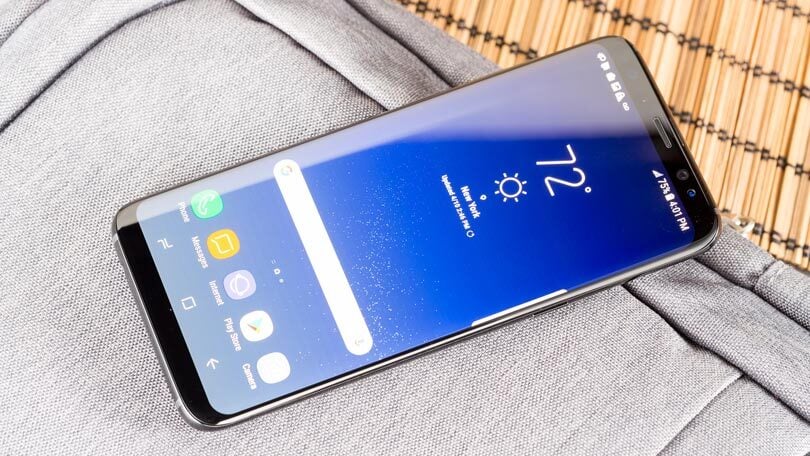
The task to Change Samsung Galaxy S8 Screen can seem daunting, especially with its sleek curved-edge display and sealed body.
However, with the right tools, a bit of patience, and a reliable source for high-quality spare parts like E-tech61, you can successfully complete this repair and restore your device’s vibrant display to like-new condition.
At E-tech61, your trusted source for mobile spare parts, we believe that if you’ve got the right tools, the right screen, and a bit of patience, you can absolutely replace your Galaxy S8 screen yourself.
In this guide, we’re going to walk you through the process — step by step — in a way that actually makes sense and doesn’t sound like it was written by a robot.
Is Replacing the Galaxy S8 Screen Worth It?
Absolutely, to Change Samsung Galaxy S8 Screen is important — especially if the rest of your phone is working just fine.
-
Your touch sensitivity will go back to normal.
-
You’ll stop squinting through that spiderweb of cracks.
-
You’ll extend the life of your phone and keep it out of a landfill.
-
You’ll save a lot more money compared to paying for a brand-new device or a shop repair.
And, you’ll feel pretty damn good knowing you fixed it yourself.
What You’ll Need
Before you start, get your tools and parts ready. You’ll thank yourself later.
Here’s your checklist:
-
A replacement Galaxy S8 screen (with or without frame – we recommend with frame for beginners)
-
A heat gun or a regular hairdryer
-
A suction cup tool
-
A plastic prying tool or opening picks
-
A Phillips-head screwdriver (size #00 or close)
-
Tweezers
-
Isopropyl alcohol (90% or higher)
-
Adhesive tape or B7000/3M screen glue
-
An anti-static wrist strap (optional, but smart)
Step 1: Power Down and Pop That SIM Tray Out
Start by turning off your phone completely. Hold the power button and hit “Power Off.” Then use the SIM tool to eject the SIM and microSD card tray.
Put that little tray somewhere safe. You don’t want to be crawling around on the floor for it later.
Step 2: Loosen Up That Back Glass
This part takes a little patience. The Galaxy S8’s back panel is glued on tight with factory adhesive.
Here’s what to do:
-
Use a heat gun or hairdryer and warm up the edges of the back glass. You’re aiming for a slow, even heat — 2–3 minutes around the edges should do it.
-
Once it’s warm, suction up the back glass near the bottom edge and gently lift.
-
Slide a plastic pick or card into the gap and slowly work your way around. Don’t rush — if you feel resistance, apply more heat.
-
Inside, the fingerprint scanner connects the back panel to the mainboard. Be careful not to yank the panel. Use tweezers or a spudger to disconnect the cable.
Back glass is fragile — treat it like your mom’s favorite wine glass.
Step 3: Disconnect the Battery
You don’t want any power flowing while you’re working on the phone. That’s just asking for trouble.
-
Remove the screws holding down the NFC/wireless charging assembly.
-
Gently pop off the metal shield with a plastic tool.
-
Use a spudger to disconnect the battery connector from the motherboard. No sparks, no drama.
Step 4: Take Out the Motherboard and Charging Board
Now it’s time to dig a little deeper and move out some components so you can get to the screen.
-
Disconnect all visible flex cables (camera, display, buttons, etc.).
-
Unscrew the motherboard and gently lift it out — start from the top and watch for snags.
-
Do the same with the charging port board and speaker assembly at the bottom.
Tip: Take a photo of the layout before you remove anything. It’ll save you a headache when you’re putting things back together.
Step 5: (If Necessary) Remove the Battery
If your new screen already comes with a frame, you might not need to do this. But if not, you’ll need to transfer the original battery.
Apply isopropyl alcohol around the battery edges, let it sit for 2–3 minutes, and gently lift it out using a plastic card. Avoid puncturing or bending it.
Battery removal is never fun. Be patient, and don’t force anything.
Step 6: Remove the Broken Screen
-
Heat the front screen edges just like you did with the back.
-
Use a suction cup to lift the display slightly and slide your pick underneath.
-
Work around the edges carefully. The S8’s screen is curved, so take your time and avoid cracking the OLED if you're not replacing the frame.
-
Clean off any leftover adhesive or glass shards. A lint-free cloth and a little alcohol go a long way here.
Make sure the surface is spotless before installing the new screen.
Step 7: Install the New Screen Like a Pro
Now we’re getting somewhere to Change Samsung Galaxy S8 Screen.
-
If your screen came with a frame, you can begin placing components back into the new frame: battery, motherboard, flex cables, etc.
-
If your screen is just the display (no frame), apply new adhesive to the phone chassis before placing the new screen.
-
Carefully lower the screen into place. Use light, even pressure. You’ll hear a subtle “click” if everything is seated properly.
Don’t glue anything down until you’ve tested the phone (more on that in a second).
Step 8: Rebuild Everything
Start reconnecting things in reverse order:
-
Plug in all the flex cables.
-
Place the motherboard back in and screw it down.
-
Reinstall the NFC/charging coil and secure it with screws.
-
Reconnect the fingerprint sensor to the motherboard.
-
Place the back glass on temporarily.
Don’t seal it up just yet.
Step 9: Power On and Test It All
Now the final step for Change Samsung Galaxy S8 Screen.
Hold the power button and boot the phone up. Test everything before sealing the back:
-
Is the touchscreen working smoothly?
-
Do the colors and brightness look normal?
-
Try the camera, speaker, and buttons
-
Test the fingerprint scanner
If all’s well — congrats. You did it.
Now apply some heat to the back cover edges, press it down firmly, and let the adhesive set.

Where to Buy a Reliable Samsung Galaxy S8 Screen? (Hint: Right Here)
We’ll keep it simple: you need a good screen.
You don’t want ghost touches. You don’t want cheap knockoffs with dull colors or lines down the middle. You want something that just works.
That’s where we come in.
At E-tech61, we provide:
-
Premium Samsung Galaxy S8 replacement screens
-
Both with frame and without, depending on your experience level
-
Kits with everything you need to get started
-
Fast shipping and top-tier support
We’re not some faceless reseller. We live and breathe mobile repair, and we’re here to help you fix your phone right — the first time.
Extra Tips to Make Your Repair Last
-
Use a tempered glass screen protector going forward — it’s a cheap way to avoid future cracks
-
Invest in a shockproof case, especially if you drop your phone often
-
Don’t overheat your device — that curved OLED screen is sensitive
-
Keep your old screen until you’re 100% sure everything’s working
-
Store leftover tools — they’ll come in handy again
Why Trust E-tech61?
We’re not here just to sell you a screen — we’re here to make your repair journey smoother.
-
We offer parts that actually last
-
We test our inventory for performance and durability
-
We’ve helped thousands of DIYers and repair techs
-
We provide guides, tools, and honest support
Whether you’re a pro fixer or this is your first time opening a phone, E-tech61 is here to back you up every step of the way.
Cost to Change Samsung Galaxy S8 Screen
When a Samsung Galaxy S8 takes an unexpected tumble, one of the most common casualties is the screen — whether it’s a cracked glass, an unresponsive touch layer, or a bleeding OLED panel. And now you have to Change Samsung Galaxy S8 Screen.
The moment that vibrant display gets damaged, most of us are left asking the same thing: “How much is this going to cost me?”
That’s what we’re here to break down. From DIY replacement costs, to professional repair prices, to the hidden fees and quality pitfalls you should watch out for — we’re pulling back the curtain on what it really costs to change your Galaxy S8 screen.
As your go-to ecommerce destination for mobile spare parts, at E-tech61, we’re committed to helping you repair your phone without draining your wallet.
Average Cost of Replacing a Samsung Galaxy S8 Screen in 2025
The cost to replace a Galaxy S8 screen can vary wildly depending on where you go and how you choose to get it done. Here’s what most users encounter:
-
Authorized Samsung service centre: £150 to £220
-
Local independent repair shops: £90 to £140
-
DIY screen replacement with full kit: £35 to £70
If you're in the U.S. or Europe, you can expect to pay between $150 and $300 at official outlets, or $60 to $110 for a quality DIY kit from reputable suppliers like E-tech61.
What Affects the Price of a Galaxy S8 Screen Replacement?
Not all screen replacements are priced equally. Several factors influence the final cost, including:
1. Type of Replacement Screen
One essential part to Change Samsung Galaxy S8 Screen is the replacement screen. There are multiple types of replacement screens available:
-
OEM (Original Equipment Manufacturer): These are screens made by Samsung or their licensed contractors. They offer identical performance, display sharpness, color accuracy, and touch sensitivity — but they’re the most expensive.
-
OEM-equivalent (High-quality aftermarket): These screens are made by third-party manufacturers but match the quality of OEM screens. They’re more budget-friendly while still offering excellent results — especially the ones sold at E-tech61, where we thoroughly vet each product.
-
Low-grade replicas: These are cheap imitations that are often sold online without warranty. They may look fine at first glance, but often suffer from poor brightness, ghost touch, or reduced durability. The low upfront price usually ends up costing more in the long run.
2. Frame or No Frame?
Screens come in two formats:
-
With frame (pre-installed on midframe): Easier to install, especially for beginners. It simplifies the replacement process because you don’t need to separate the old screen from the frame. It does cost a bit more but saves time and reduces risk.
-
Without frame: A bare display and digitizer assembly. It's cheaper but requires more effort, precision, and higher risk of damage during installation.
At E-tech61, we offer both options so you can choose the one that suits your skill level and budget.
3. Labor Costs and Location
If you're not doing the repair yourself, labor costs become a significant part of the price. In metropolitan areas or regions with higher cost of living, labor rates will be higher.
-
Authorized repair centers often charge premium labor fees.
-
Local repair shops can vary — some are experienced and fair, others may cut corners.
-
DIY repairs, while they involve some initial learning, save you the most money.
Breakdown of a Typical DIY Screen Replacement Cost (UK)
If you’re planning to replace your Samsung Galaxy S8 screen yourself — and plenty of people do — the savings can be substantial, especially if you have access to a quality kit and a proper step-by-step guide.
Here’s a realistic breakdown of what the costs might look like in the UK:
-
Replacement screen with frame: £39.99 to £54.99
-
Complete tool kit (included with E-tech61 kits): £5 to £10
-
Adhesive or glue (B-7000 or precision pre-cut adhesive strips): £2 to £4
-
Optional extras (tempered glass screen protector, anti-static wrist strap, UV curing light): £5 to £10, depending on your setup
Estimated total cost: £42 to £65, all in.
That’s less than half the price you’d pay at most high-street repair shops — and with E-tech61’s all-in-one DIY kits, you get everything you need in one package.
Every screen is tested for display clarity and touch responsiveness, and we back every order with dedicated support, in case you hit a snag mid-repair.
No hidden charges. No second-guessing. Just affordable, reliable parts from a UK-based supplier you can count on.
Authorized Service vs. DIY: What’s the Difference in Cost and Outcome?
Let’s compare the two most common approaches side by side:
Authorized Samsung Repair
-
Pros: Genuine parts, warranty included, no DIY risk
-
Cons: Expensive, time-consuming, data may be wiped, not available in all areas
DIY via E-tech61
-
Pros: Big cost savings, same-day repair, keep your data, learn a new skill
-
Cons: Requires care and following instructions closely
The truth is, with E-tech61’s high-quality replacement parts, you can achieve the same result at less than half the cost.
How to Spot a Fair Price When Buying a Replacement Screen
When you're shopping around, especially online, here’s what you should look for to ensure you're not getting ripped off:
-
Seller reputation – Stick with trusted suppliers like E-tech61, not random marketplaces with no return policy.
-
Warranty – A good seller offers at least a 7 to 30-day guarantee.
-
Quality assurance – Is the screen tested before shipping? At E-tech61, every screen is tested twice for touch response, color, and brightness.
-
Included tools and support – A cheap screen without tools, instructions, or support often ends up more costly in the long run.
Common Mistakes That Can Drive Up the Cost
Many people try to save a few bucks, only to end up spending more. Here’s how to avoid the most common pitfalls:
-
Buying the cheapest screen available – It will almost always lead to poor display quality or total failure within weeks.
-
Skipping adhesive or using weak glue – This causes lifting or water damage later on.
-
Rushing the installation – Cracked OLED panels during DIY repairs are a costly mistake.
-
Letting unqualified techs handle it – Always choose someone who has experience with curved OLED displays if you go for third-party repair.
If you're not sure where to start, E-tech61 offers both quality parts and expert guidance, so you're never left guessing.
Why E-tech61 Is the Smarter Choice for Galaxy S8 Screen Replacements
We’ve helped thousands of customers restore their phones affordably and confidently. What sets us apart?
-
Genuine quality parts (OEM and high-grade aftermarket)
-
Free tools with every screen kit
-
Transparent pricing
-
Fast shipping across Pakistan and beyond
-
Customer-first support team that knows repairs inside out
We’re not just selling screens — we’re helping people save their phones, their money, and their time.
E-tech61 is your trusted partner in mobile repair, offering a complete, seamless experience from the moment you order to the final step of your successful fix.
Conclusion: Pay Less, Fix Smart, and Keep Your Galaxy S8 Alive
A “Change Samsung Galaxy S8 Screen” problem does not have to be the end of your Samsung Galaxy S8.
Whether you're a first-time DIYer or someone just trying to avoid overpriced service centers, understanding the real cost of a screen replacement gives you the power to make the smart choice.
With E-tech61, you’re not just buying a part — you’re getting everything you need to get your phone back to its best, at a fraction of the cost.
Order your Galaxy S8 screen today, follow our expert instructions, and join thousands of people who fixed their phones — not replaced them.
Share:
Samsung S8 Screen Replacement Step by Step Guide | E-TECH61
iPhone 14 Pro Max Flip: Is Apple Finally Going Foldable?