
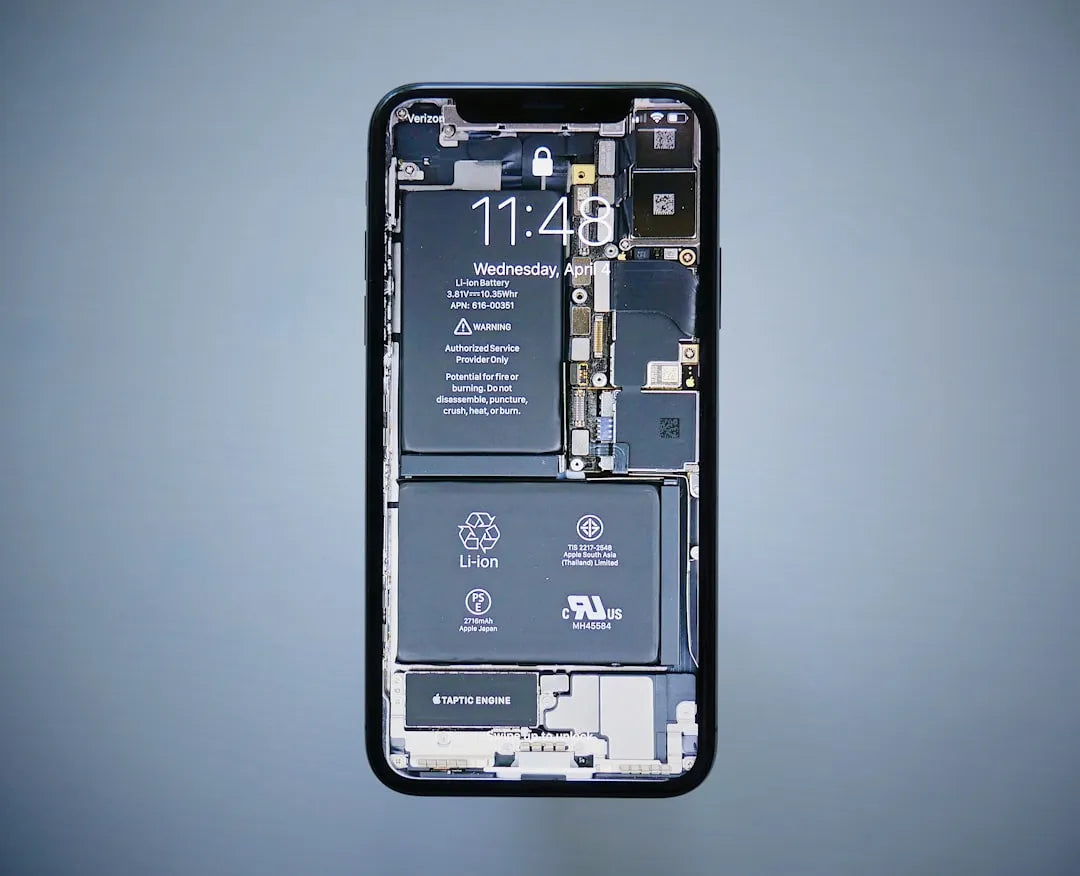
Battery life complaints are everywhere with the iPhone 17, but most people don't actually know what's really causing their problems. Everyone blames Apple or assumes their battery is defective when the real culprits are usually sitting right in their settings or running quietly in the background.
Understanding the actual reasons behind battery drain helps you fix issues instead of just complaining about them. We're going to break down every real factor affecting your iPhone 17's battery life and explain what's actually happening inside your phone.
The Screen Is Your Biggest Battery Enemy
Your iPhone 17's display consumes more battery power than any other component in the device. Between 30-50% of your total battery usage goes straight to keeping that beautiful screen lit up, especially if you've got the brightness cranked up high.
The ProMotion displays on iPhone 17 Pro models with 120Hz refresh rates use even more power than standard displays. While the technology is smart enough to lower refresh rates when showing static content, many apps keep it running at full speed unnecessarily.
Always-On Display on Pro models literally keeps your screen active 24/7, which naturally drains battery even when your phone is supposedly "locked." Apple designed it to use minimal power, but minimal power consumed constantly still adds up to noticeable battery drain over time.
Background App Activity You Don't Even Know About
Most iPhone users have no idea how many apps are running processes in the background right now. Your phone might have dozens of apps refreshing content, checking for updates, or performing tasks even though you haven't opened them in days.
Social media apps are the absolute worst offenders when it comes to background battery consumption. Facebook, Instagram, Snapchat, and TikTok constantly fetch new content, track your activity, and send data back to their servers even when closed.
News apps and email clients checking for updates every few minutes create constant network activity. Each time these apps wake up to check for new content, they activate your network radios and processors, which burns through battery power.
Location Services Running Wild on Your iPhone 17
Location tracking is one of the biggest hidden battery drains that most people never think about. Dozens of apps on your iPhone 17 are probably tracking your location right now, using GPS hardware that consumes substantial power.
Many apps request "Always" location access during installation, which means they're tracking you 24/7 whether you're using them or not. Navigation apps, weather apps, social media, and even shopping apps often have continuous location access they don't actually need.
The GPS chip in your iPhone 17 is power-hungry by design because pinpointing your exact location requires communicating with multiple satellites. When numerous apps access location services simultaneously, the cumulative effect absolutely destroys battery life.
Push Notifications and Constant Connectivity Demands
Every push notification that lights up your screen and makes your phone buzz uses battery power. When you're getting hundreds of notifications per day from various apps, all those individual screen wake events add up significantly.
Push notifications require your iPhone to maintain constant connections to Apple's push notification servers. These persistent network connections prevent your device from entering deep sleep states where power consumption would be minimal.
Email accounts configured for push delivery keep network connections active continuously waiting for new messages. If you have three or four email accounts all using push, your iPhone's radios are working non-stop throughout the day.
5G Connectivity Draining Battery Faster Than You Think
5G networks consume noticeably more battery power than 4G LTE connections due to the increased bandwidth and network complexity. Your iPhone 17 works harder to maintain 5G connections, especially in areas where 5G coverage is inconsistent or weak.
Constantly searching for 5G networks when you're moving between coverage areas absolutely murders battery life. Your phone burns power scanning for 5G, attempting to connect, falling back to LTE, then searching for 5G again in a never-ending cycle.
Many people don't actually need 5G speeds for their daily tasks like messaging, browsing, and social media. Forcing your iPhone 17 to use LTE instead of 5G can extend battery life by several hours without any noticeable impact on performance for most activities.
Weak Cellular Signals Forcing Maximum Power Transmission
When your iPhone 17 has weak cellular signal, it cranks up transmission power trying to maintain a connection to distant cell towers. This maximum power operation drains batteries incredibly fast compared to operation in areas with strong signal reception.
Buildings with poor cell coverage, rural areas, and underground locations force your phone to work overtime just for basic connectivity. If you've ever noticed your phone getting warm and losing battery quickly in certain locations, weak signal is probably the reason.
People working in office buildings with concrete and steel construction often experience terrible battery life from poor indoor cellular coverage. Your phone fights all day to maintain connections, burning through battery power that would last much longer in areas with good signal.
iOS Updates and System Processes You Can't Control
Right after installing major iOS updates, your iPhone 17 runs intensive background processes to reindex content and optimize the system. Spotlight indexing, photo library analysis, and other maintenance tasks hammer your battery for 24-48 hours after updates.
Apple's iCloud services constantly syncing photos, documents, and backups in the background consume significant battery power. If you've enabled iCloud Photos with a large library, your phone might spend hours uploading and organizing content, especially after taking many new photos.
App Store automatic updates downloading and installing apps in the background drain battery through network activity and storage operations. These updates often happen at inconvenient times when you're actually trying to use your phone on battery power.
Apps Not Properly Optimized for iPhone 17
Poorly coded third-party apps can absolutely devastate your iPhone 17's battery life through inefficient programming. Apps that constantly poll servers, fail to properly enter background states, or use excessive processing power drain batteries far beyond what's necessary.
Some developers don't properly optimize their apps for new iPhone models or iOS versions. When apps aren't updated to work efficiently with new hardware or software, they can consume excessive resources and battery power.
Even one badly behaved app can tank your entire day's battery life if it gets stuck in a loop or fails to terminate properly. These rogue apps continue running processes in the background consuming CPU cycles and battery power indefinitely.
Your Actual Usage Patterns and Screen Time
The most obvious reason for battery drain is simply using your phone more than you realize. Many people complaining about battery life are actually just heavy users who have their screens on for 6-8 hours daily.
Gaming, video streaming, and video calls consume massive amounts of battery power through intensive processor usage and sustained screen time. An hour of mobile gaming uses exponentially more battery than an hour of reading text messages.
Social media scrolling seems passive but actually uses substantial battery from constant screen activity and data loading. Spending hours scrolling through Instagram, TikTok, or Twitter feeds will drain any battery quickly regardless of optimization.
Charging Habits That Damage Long-Term Battery Health
Constantly charging your iPhone 17 to 100% and draining it to 0% stresses the battery and accelerates capacity degradation. Lithium-ion batteries last longest when kept in the 20-80% range rather than experiencing full charge cycles repeatedly.
Using cheap third-party chargers that don't regulate power properly can damage your battery over time. Counterfeit or low-quality charging accessories deliver inconsistent voltages and currents that stress battery cells and reduce their lifespan.
Charging your phone in hot environments like inside cars on summer days damages the battery permanently. Heat accelerates chemical degradation inside battery cells, causing irreversible capacity loss that makes your battery seem defective when it's actually just damaged.
Temperature Effects That Nobody Talks About
Extreme temperatures both hot and cold significantly impact iPhone 17 battery performance. Apple designs batteries to work best between 62-72°F, and performance drops noticeably outside this range.
Hot weather or direct sunlight exposure causes batteries to drain faster and can even trigger thermal management systems that slow your phone down. Extended heat exposure permanently damages battery capacity through accelerated chemical degradation.
Cold winter temperatures temporarily reduce battery capacity as the chemical reactions inside battery cells slow down. Your iPhone might show 50% charge, then suddenly die in cold weather, though capacity typically returns once the battery warms up.
The True Impact of Widgets and Live Activities
Home screen widgets constantly updating with fresh information consume battery through periodic refresh cycles. Weather widgets, news widgets, and calendar widgets all need to fetch new data regularly, which requires network activity and processing power.
Live Activities showing real-time updates for things like sports scores or food delivery drain battery from continuous updates. These features are convenient but maintain active connections and update frequently throughout their duration.
Widget stacks that rotate between multiple widgets use even more battery from managing and updating several widgets simultaneously. Each widget in a stack consumes resources, and the automatic rotation adds additional processing overhead.
Audio and Video Streaming Realities
Streaming music constantly throughout the day uses more battery than most people realize from sustained network connectivity and audio processing. While music playback itself is relatively efficient, the constant cellular or WiFi connection drains power steadily.
Video streaming absolutely destroys battery life from the combination of screen activity, network data transfer, and video decoding. Watching YouTube, Netflix, or TikTok videos for hours will drain any phone battery quickly regardless of optimization.
Bluetooth audio streaming to wireless headphones or speakers adds another layer of battery consumption from maintaining the Bluetooth connection. While Bluetooth is relatively efficient, continuous audio streaming still requires sustained radio activity that uses power.
Camera Usage and Photo Processing Drain
Taking photos and videos uses substantial battery power from activating the camera hardware, image processing, and immediate upload to iCloud Photos. The computational photography features in iPhone 17 cameras do intensive processing that demands significant power.
Recording 4K video at high frame rates drains batteries incredibly fast from the massive data processing and storage requirements. Professional video recording features consume battery at rates that can drain a full charge in under two hours of continuous recording.
The automatic photo analysis and face recognition that organizes your Photos library runs in the background consuming battery. Your iPhone processes every photo you take, identifies faces and objects, and creates searchable metadata that requires processing power.
Keyboard Haptics and System Sounds
The haptic feedback you feel when typing on your iPhone 17 keyboard consumes battery power from the vibration motor. While individual haptics use minimal power, thousands of tiny vibrations throughout the day add up to measurable battery consumption.
System sounds and notification alerts playing constantly drain small amounts of battery through speaker activity. These tiny drains individually are negligible but become significant when happening dozens or hundreds of times daily.
The Taptic Engine providing haptic feedback for system interactions throughout the interface uses more power than you'd expect. Every tap, swipe, and interaction can trigger haptic feedback that requires powering the vibration motor.
Face ID and Biometric Security Impact
Face ID scanning your face every time you unlock your iPhone 17 uses battery power from activating the TrueDepth camera system. While Apple optimized this process to be efficient, unlocking your phone dozens of times daily means dozens of Face ID activations.
The infrared sensors and dot projector that make Face ID work consume power each time they activate. These specialized components need to illuminate your face, capture data, and process it through secure neural networks with each unlock attempt.
Apps that use Face ID for authentication trigger additional Face ID scans beyond just unlocking your phone. Banking apps, password managers, and secure apps all requesting Face ID authentication add up to many additional battery-consuming scans daily.
Wireless Charging Inefficiency Facts
Wireless charging is significantly less efficient than cable charging, with substantial energy lost as heat during the charging process. This inefficiency means your battery requires more total energy input to reach full charge, and all that extra energy comes from the power outlet.
The heat generated during wireless charging actually stresses your battery and can accelerate long-term degradation. While convenient, wireless charging is objectively worse for battery health than cable charging due to the elevated temperatures involved.
Fast wireless charging generates even more heat and stresses batteries further than standard wireless charging. The convenience of quick wireless charging comes at a cost to long-term battery health that many users don't realize.
The Battery Capacity Reality Check
iPhone 17 batteries are physically smaller than many Android competitors due to Apple's compact designs. While iOS is efficient, smaller battery capacity means less total charge available regardless of optimization.
The base iPhone 17 has a notably smaller battery than the Pro Max model, leading to significant real-world battery life differences. People comparing their standard iPhone 17 to someone's Pro Max and complaining about battery life are literally comparing different capacity batteries.
Apple's claimed battery life estimates are based on specific usage patterns that don't match how most people actually use their phones. Real-world usage with constant connectivity, notifications, and screen time drains batteries much faster than Apple's laboratory testing scenarios.
Age and Battery Degradation Everyone Experiences
All lithium-ion batteries lose capacity over time regardless of how carefully you treat them. After a year of normal use, expect your iPhone 17 battery to have lost 5-10% of its original capacity, which translates to noticeably shorter battery life.
Charge cycles accumulate quickly with daily charging, and each cycle degrades the battery slightly. After 500 complete charge cycles, Apple expects batteries to retain about 80% of original capacity, which represents a 20% reduction in battery life.
Chemical degradation inside battery cells is inevitable and accelerates as batteries age. The same iPhone 17 that lasted all day when new might need midday charging after two years due to natural capacity loss.
What Apple Doesn't Emphasize About Battery Performance
Apple's marketing emphasizes features and capabilities while downplaying the battery cost of those features. ProMotion displays, Always-On Display, 5G connectivity, and computational photography all sound great but consume more power than previous simpler technologies.
The push toward thinner, lighter phones means smaller batteries and compromised battery life. Apple prioritizes design aesthetics over battery capacity, choosing slim profiles over larger batteries that would extend usage time.
Software features automatically enabled by default often drain batteries unnecessarily for features many users don't want or need. Apple opts for impressive out-of-box experiences over maximum battery efficiency, leaving users to manually optimize settings themselves.
Network and Server-Side Factors Beyond Your Control
App developers' server infrastructure and API design affect how much battery their apps consume on your device. Inefficient server responses, excessive data transfer, or poorly designed sync protocols cause apps to use more battery than necessary.
Cellular network congestion and tower handoff processes in urban areas create additional battery drain from connection management. Your phone constantly negotiating between cell towers in crowded areas uses more power than stable connections in less congested locations.
WiFi router issues and network problems can cause battery drain from repeated connection attempts and authentication failures. When your home WiFi is flaky, your iPhone wastes battery constantly disconnecting and reconnecting rather than maintaining stable connections.
The Reality of Modern Smartphone Battery Life
Modern smartphones do far more than phones from just a few years ago, and all those capabilities consume power. Expecting all-day battery life while constantly using power-hungry features is unrealistic given current battery technology limitations.
Battery technology hasn't advanced nearly as fast as smartphone features and capabilities have expanded. While phones have become dramatically more powerful and capable, battery capacity has only increased incrementally, creating an inevitable gap.
The truth is that heavy smartphone users simply need to charge their phones more frequently or use battery cases. No amount of optimization will make an iPhone 17 last all day with 8+ hours of screen time and intensive app usage.
iPhone 17 vs Samsung S26 Display | Which Screen is Better?
Share:
iPhone 17 Concept vs. Reality: How Close Will Apple Get?
iPhone 17 Battery Drain: Is It a Software Bug or Hardware Defect?